PixInsight Version Updates: Interface and Repository Features
PixInsight keeps getting updated, and besides the processing tools themselves, the interface and the Repositories side have gradually seen some handy little improvements too. This article gathers a few features I think are worth knowing about, and also flags a pitfall to watch out for when upgrading.
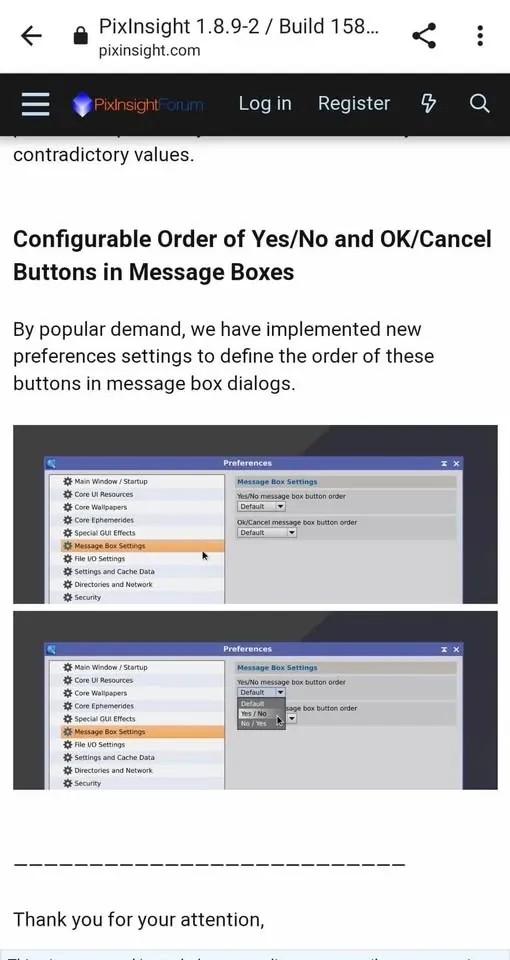
Customizable Button Order for Yes/No, OK/Cancel
If you have felt that every time PixInsight pops up a query box, the buttons always put “no first, confirm second,” making you frequently misclick the negative—now you can finally change it yourself.
Remember to first update PI to the latest version through the PixInsight Distribution system, after which you can change the button order in Preferences. This update also fixed quite a few bugs along the way.
1.9: Synchronized Viewing Across Different Images
PI version 1.9 added a “synchronized viewing” feature that can sync the “view position” and “zoom level” across different images. This is very handy when comparing details—for example, when comparing the differences of the SHO channels in the same region, scrolling or zooming one of them makes the other images follow along in step, so you can compare them at a glance. This feature can also be applied to the preview windows of different images.
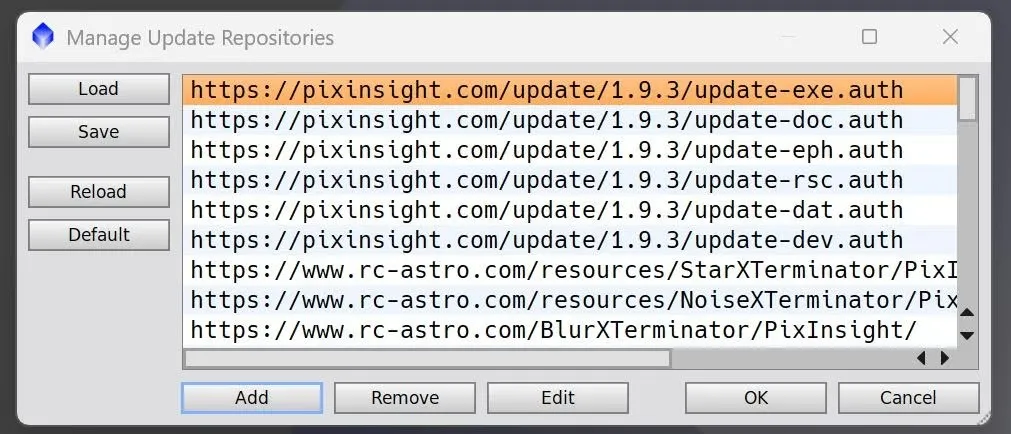
1.9.3: Repositories Support Backup and Restore
After updating to PixInsight 1.9.3 build 1646, PI Repositories began to support “backing up (Save)” and “restoring (Load)” the contents of the plugin repository.
For anyone who needs to install PI and its plugin repository on multiple computers, this is a real blessing—no more re-adding repositories one machine at a time.
A note to add: the main purpose of PI Repositories is automated updates and support for third-party plugins, that is, extending functionality within PI’s native framework. Plugins like BXT are installed and updated through this very mechanism.
1.9.4: Before You Upgrade, Beware That Scripts May Disappear
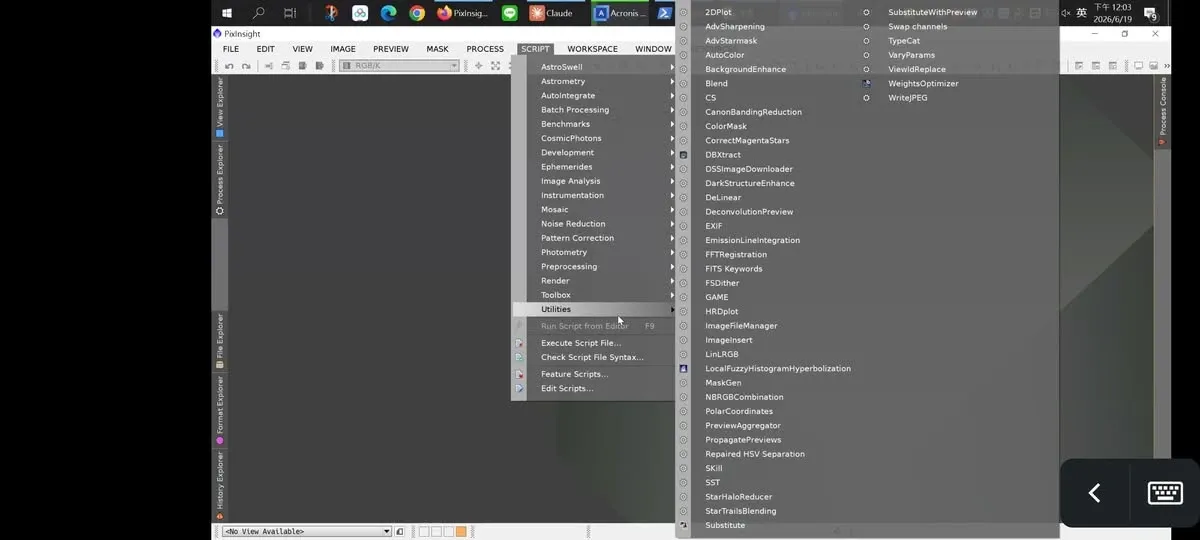
Finally, a pitfall to warn about. I once upgraded PixInsight to the latest 1.9.4 on a computer I rarely use, and after installation, many of the scripts that had been in the repository all disappeared, and could not be reinstalled either.
So my advice is:
- If you are in the habit of using scripts, especially unofficial scripts, then it is not really advisable to rush into upgrading to the latest version of PixInsight—confirm compatibility first.
- If you are an ordinary PC or Linux user, there is actually no pressing need to upgrade; you can afford to wait and see for a while.
Summary
The interface and repository improvements the new versions bring (button order, synchronized viewing, plugin backup and restore) are all useful and worth taking advantage of; but “latest” does not necessarily equal “best suited for you right now,” and especially for those who lean heavily on unofficial scripts, keeping a card up your sleeve before upgrading is always a good idea.