XISF Librator: Open XISF Files Without PixInsight
XISF is an image format unique to PixInsight. For enthusiasts who don’t have PixInsight installed, seeing this file extension often just means “can’t open it.” The good news is that there’s now a third-party standalone program that solves this problem — XISF Librator, made by Frank Marek of SetiAstro.
What it can do
XISF Librator’s features are a bit richer than “just being able to open the file”:
- Open XISF files: view XISF images directly without PixInsight.
- Built-in STF screen stretch: it comes with PixInsight’s automatic screen stretch (STF) function, which — besides being used for viewing images — can also save the screen-stretch result directly as a permanently stretched image.
- Fully read metadata and export it: this is the one I consider most important. It can read out the XISF metadata in full (including plate-solve data) and save it out to a format other software can open, such as FIT or TIF.
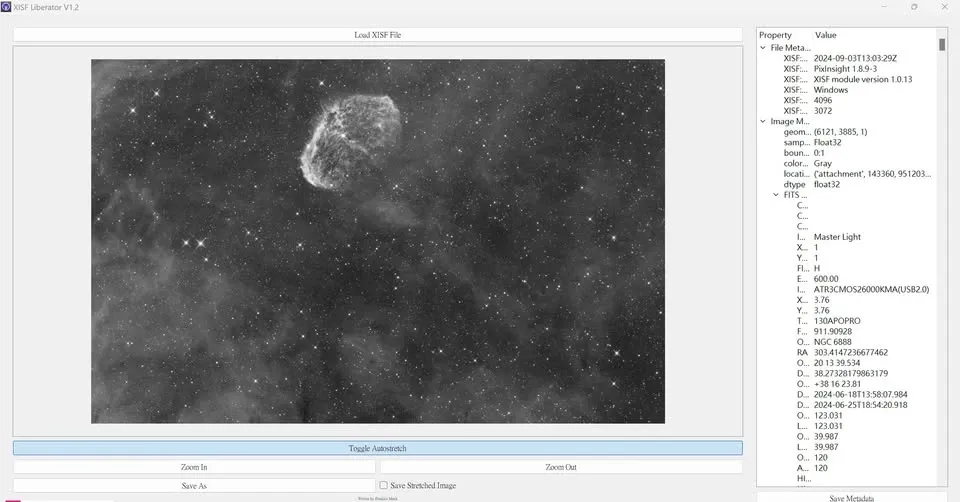
Useful even for people who have PixInsight
So what value does this program have for enthusiasts who already have PixInsight? One practical scenario comes to mind: if you use a lower-performance computer for capture control, opening PixInsight directly might overload the system or even freeze it. In that case you can use XISF Librator in place of PixInsight, purely for image previewing — lightweight, fast, and easy on resources.
Download and supported platforms
XISF Librator supports all three platforms: Windows, macOS, and Linux.
For the download location and ways to support the author (donation links), search with the keyword “XISF Librator” to get the latest version.