AI Noise Reduction Tools: NXT, DeepSNR, and Their Friends
In recent years, star removal and noise reduction in astrophotography have been almost entirely taken over by AI tools. This article surveys several mainstream AI noise-reduction tools, along with the strengths, weaknesses, and version-to-version evolution I’ve observed in testing.
Why Is AI Noise Reduction So Strong?
First, look at a set of numbers to get a feel for the scale of the models behind these tools (measured by parameter count):
- StarXTerminator: 21 million
- StarNet++: 54 million
- StarNet V2: 30 million
- NoiseXTerminator: 24 million
- Topaz Denoise AI: 14 million
These models all revolve around the core concepts of convolution, multiscale, and threshold. In deep-sky imaging, their main uses currently boil down to two things: star removal and noise reduction.
The key point is this: without machine learning — without optimizing parameters against training data for various types of celestial images — it’s genuinely very hard to get the best results across all kinds of objects using traditional methods alone. That’s precisely where AI tools prove their worth.
Deconvolution Can Lean on AI Too: BlurXTerminator
By 2022, even deconvolution could be handed off to AI. Russell Croman (RC) found yet another application of AI in image processing and implemented BlurXTerminator.
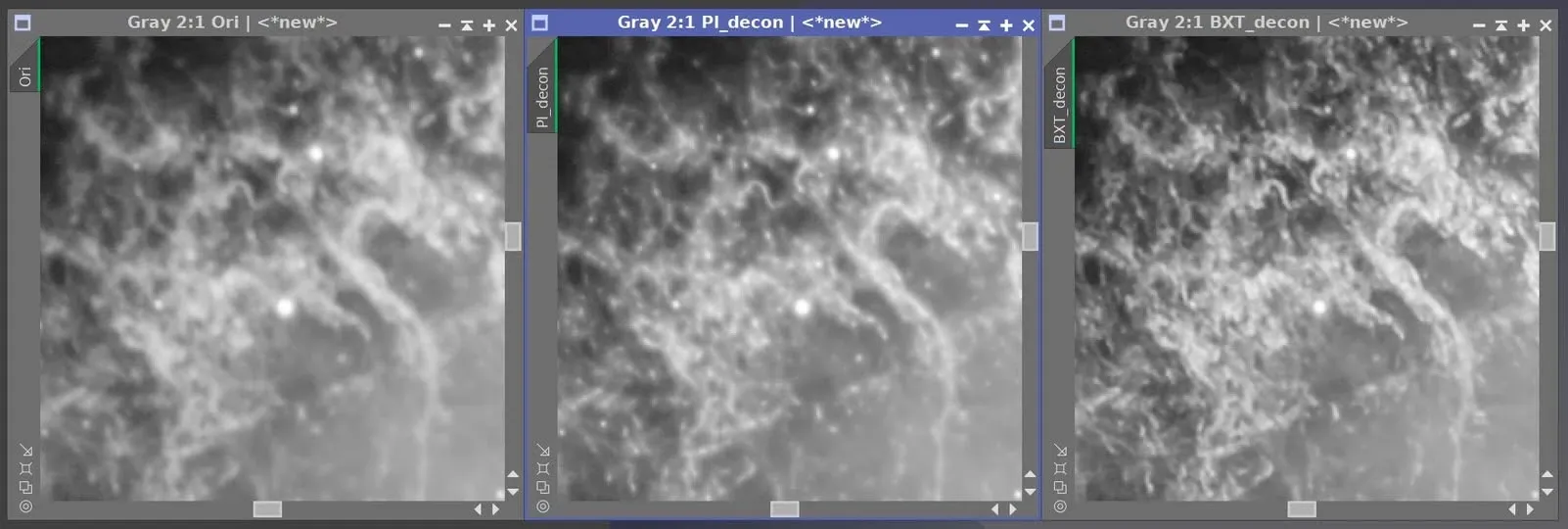
At the time, I downloaded the 30-day trial and tried it on an image of M1, the Crab Nebula, shot ten years earlier: the left image is the raw file with only DBE applied, the middle is a result I’d previously produced with PixInsight’s native deconvolution, and the far right is what BXT achieved in a single click. It was so good that, by comparison, my own manual deconvolution looked like the kind that hadn’t quite worked — and I’d spent at least 20 minutes tweaking parameters, whereas BXT finished in under a minute. The conclusion is simple: when something’s worth paying for, pay for it — it saves time and looks great.
(There’s a dedicated article covering the full BXT introduction and its caveats, so I won’t expand on it here.)
A Tour of Noise-Reduction Tools
NoiseXTerminator (NXT)
NXT is currently the mainstream paid AI noise-reduction tool, and the benchmark I return to repeatedly in this article. Its version-by-version evolution nicely illustrates the “continuous iteration” nature of AI tools.
The star problem (the AI1 era): Early on with NXT, if you didn’t add a mask, it would damage the cores of RGB stars, and the centers of luminance stars would show a slight Star Fade. There was no fix at the time; Russell mentioned the Mac platform had a similar situation, and Windows clearly wasn’t spared either. So in that era, using NXT meant dutifully pairing it with a star mask.
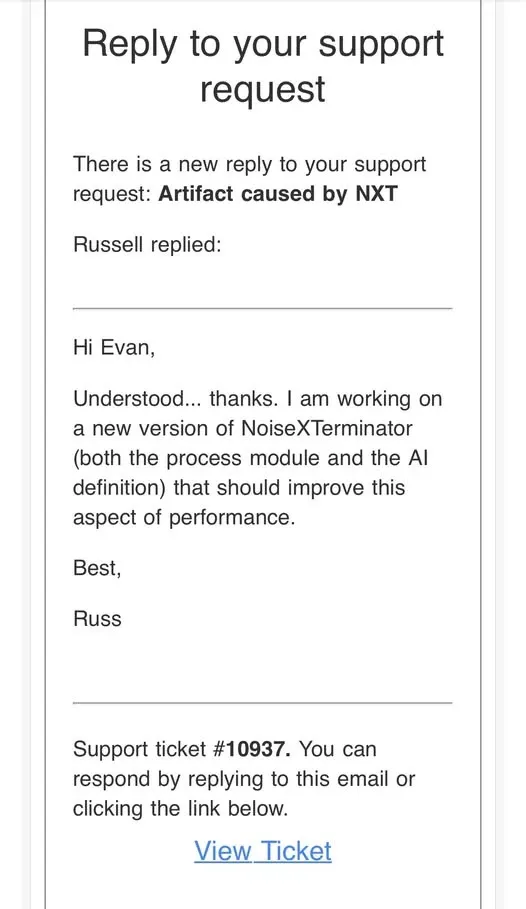
Updating to AI2 (program version 1.1.4): After I reported the problem to Russell, the new model in this update left only slight color shifts in RGB star cores, and the Star Fade in luminance star cores was gone. At the time, I advised anyone using NXT to update as soon as possible.

Evolving further to AI3: The new AI3 does improve high-frequency noise reduction, though its mid-frequency and color-noise handling looks only ordinary; its effect on bright stars in the linear state persists, but is much reduced. In short: if you’ve bought NXT, remember to upgrade — AI3’s overall performance is indeed better than AI2’s.
DeepSNR
A new-generation AI noise-reduction tool for astrophotography, developed by StarNet’s author Nikita Misiura. It currently supports color images only and must run inside PixInsight; its direct competitor on the market is NXT.
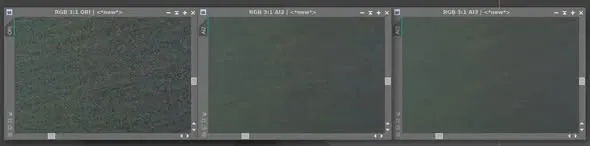
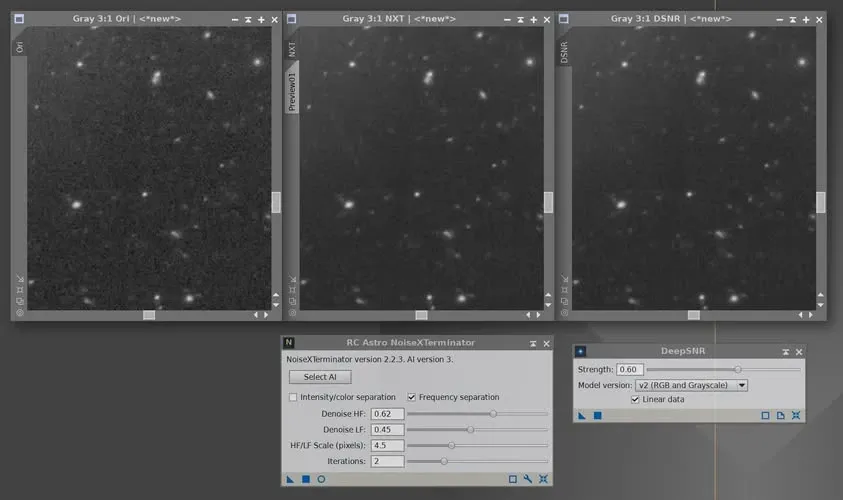
I ran a small comparison: looking at the results in the linear state, from left to right are the original image, the NXT result, and the DeepSNR result. DeepSNR appears to perform quite well. Another big advantage is that DeepSNR is currently free.
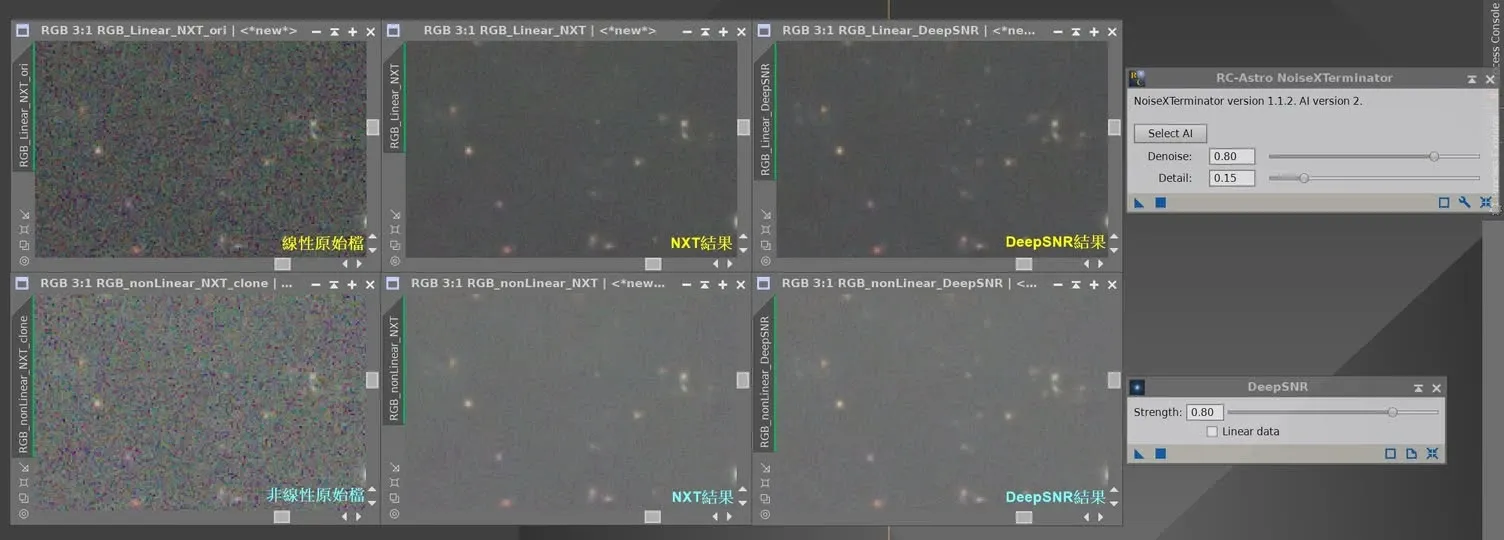
In later testing, both NXT and DeepSNR actually did very well — comparing the two results with Blink, you can barely make out any concrete difference. This raises a practical judgment call: does the luminance channel need an even higher strength? I don’t think so — at this SNR, the linear stage is just about a sweet spot. You can push RGB a bit more, but I prefer to leave some room for the nonlinear stage.
A Special Advantage of Adobe CRF Denoise
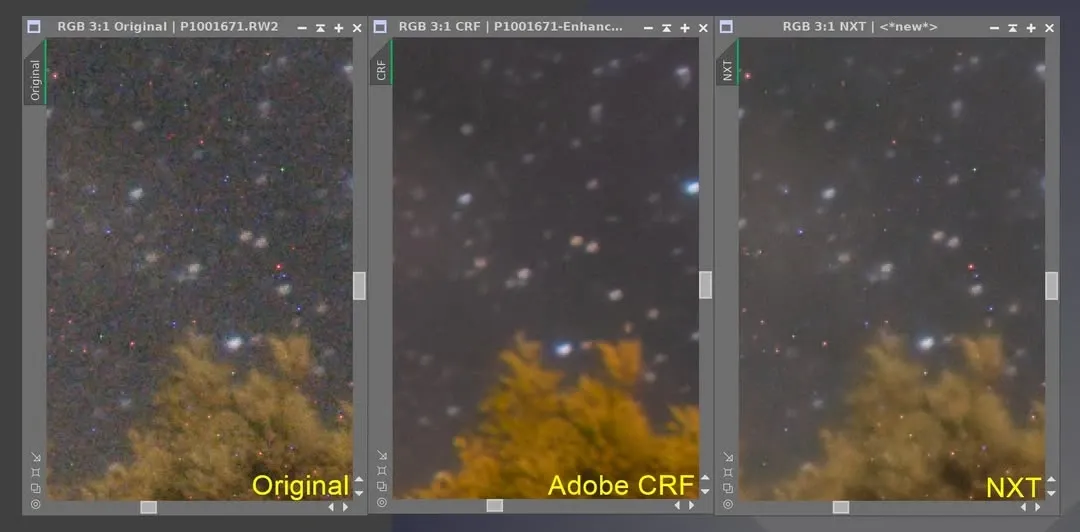
One last note on a general-photography scenario. I dug a DSLR starry-sky raw file (a 30-second exposure) out of my hard drive; the original had lots of hot pixels (those little red and green dots). Normally we eliminate them by subtracting darks and running Cosmetic Correction, but after applying Adobe’s CRF Denoise, the hot pixels were removed outright; NXT, by contrast, only removed the noise and left the hot pixels behind.
So for anyone doing general photography who won’t be shooting darks, this advantage of CRF Denoise really shows.
Wrapping Up
AI noise reduction has advanced rapidly these past few years, and there’s more than one tool: NXT is mature and keeps iterating, DeepSNR is free and easy to use, and CRF has its own clever use in the no-darks scenario. Rather than fixating on which one is “the strongest,” it’s better to remember two principles — make good use of masks, and leave some room in the linear stage for what comes later. Noise reduction isn’t a case of heavier-is-better; finding that sweet spot is where the skill lies.