MGC, SPFC and MARS: A Look at the New Gradient-Correction Tools
The following is compiled and translated from Vicent Peris Baixauli’s explanation of the MGC, SPFC and MARS tools. These are PixInsight’s newer tools related to gradient correction, and the official author has thoroughly cleared up the difficulties users commonly run into — it’s well worth reading in full.
MGC and MARS are “observation-based” solutions
Please keep this firmly in mind: both MGC and MARS are observation-based solutions.
The MARS bands currently available include L, R, G, B and H-alpha, and the upcoming new MARS data will add O-III as well. There’s a key pairing issue here: if you have an HOO or SHO image but use MARS’s RGB bands to correct the gradients, the correction is very likely to fail.
The author uses a very vivid analogy: we can’t fuel a gasoline car with diesel — doing so will only damage the engine. When the bands don’t match, the correction naturally goes wrong.
A note on dual-band filters
A similar situation occurs with dual-band filters. You cannot use MARS’s RGB bands to correct a color image shot with a color camera plus a dual-band filter. The correct approach is to use the H-alpha band as the red channel and O-III (once it’s officially released) as the green and blue channels.
Moreover, all current dual-band filters, as well as the wider narrowband filters, may be harder to correct with MGC. The reason is that for wider filters, the proportion of starlight is higher than the nebula’s line emission. The team says this will be addressed in a future version to make the tool more general.
The gray-filter design of SPFC and MGC
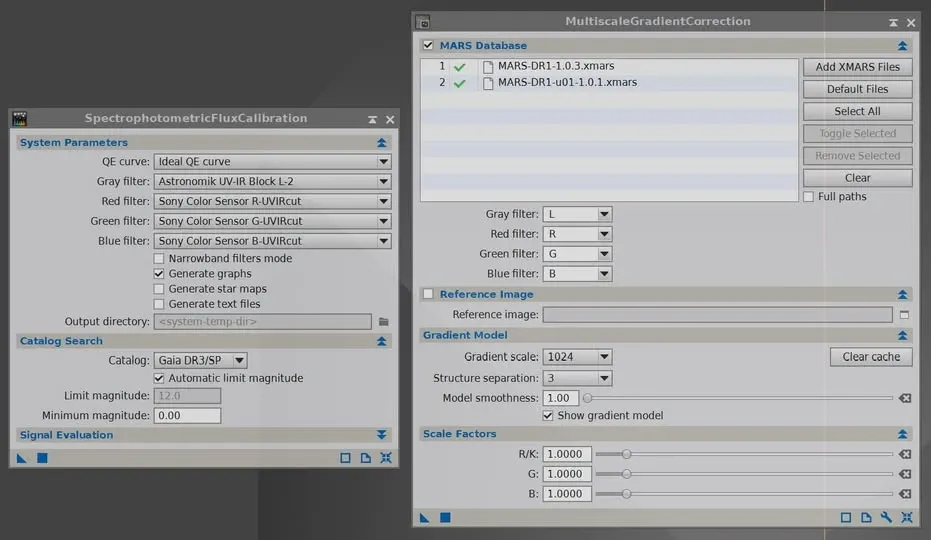
SPFC and MGC include four filter fields, and this is to make configuring the tools more convenient. If they only included R/K, G and B filters, then every time you wanted to process a grayscale image you’d have to change the R filter’s settings, and change them back again when switching to a color image. Having a separate filter field for grayscale images is more flexible and fits your particular equipment better.
So when you apply SPFC or MGC to a grayscale image, the RGB filters are ignored; conversely, when processing a color image, the gray filter is ignored.
SPFC does not replace SPCC
This is a point that’s easy to confuse: SPFC does not replace SPCC. Both use Gaia’s spectrophotometric data, but their functions are completely different.
- SPFC: computes the brightness of the stars in the image and adds metadata to define those brightnesses. It does not change the image itself — it only adds metadata.
- SPCC: measures and corrects the colors in the image, and therefore actually changes the image’s colors.
You need to add SPFC to your toolset, because before you can correct the gradients you must first know the image’s brightness.
MGC as a collaborative tool
Don’t underestimate the power of MGC as a collaborative tool. You might not want to upload your own images to the official MARS-u server, but you can use your own wide-field image to help a friend correct the gradients in theirs.
On objectivity
As the author states in the video, using a wide-field image to correct a narrow-field image requires making two highly incompatible datasets compatible. In some cases the measurement precision already exceeds the numerical limits of the data itself, so manual adjustment is often needed. But that doesn’t mean the method isn’t objective enough — in fact, it’s the most objective method currently available, more objective than sample-based or AI-based approaches. Objectivity and perfection are two different concepts, and both are constrained by real-world conditions.
MARS uses a custom preprocessing pipeline, but it hasn’t yet implemented every step needed for optimal gradient correction. The DR2 version will include some additional preprocessing steps, allowing even wider images to undergo gradient correction. The team has also announced that more educational resources will be released in the coming weeks, and that a new version of the MARS data will be out soon.