Defect Handling: Defect Columns, Hot/Cold Pixels, Dust, and Hot Pixel Noise
On the road of astro post-processing, there’s never such a thing as perfect data, only solutions found for its problems. Calibration frames take care of most of the systematic defects, but there are always a few that slip through the net: defect columns, bad pixels, dust shadows, residual hot pixels. This article gathers several kinds of defects commonly seen in the preprocessing stage, along with the handling method for each.
Three Common Types of Defect and Their Countermeasures
First, a summary table. These are the three most frequently encountered types of defect in preprocessing, and the handling principle for each:
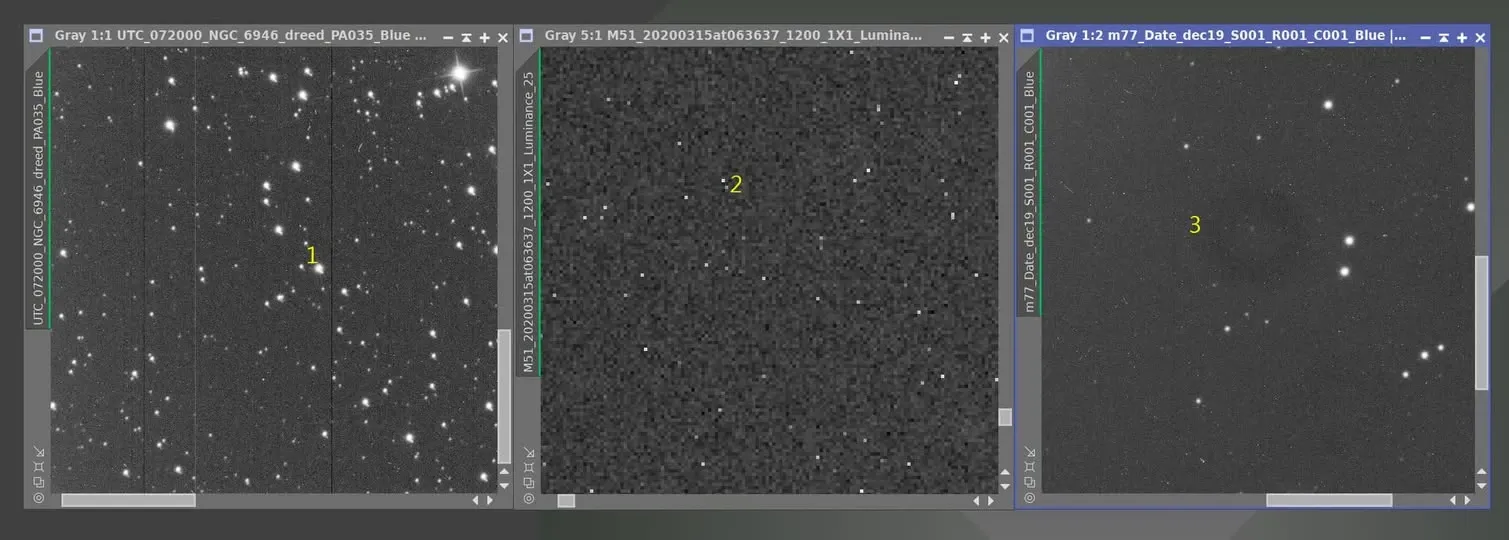
- Defect column (common on CCDs): eliminate with a Defect Map.
- Hot / cold pixel: eliminate with darks; whatever the darks can’t remove, handle with Cosmetic Correction.
- Dust shadow: eliminate with flats; whatever the flats can’t remove, patch after integration by substituting from another channel.
Below I expand on the two trickier types.
Defect Columns: Rely on the Defect Map, Not on Rejection
Defect columns are more common on CCD cameras and rarer on CMOS cameras. There’s one CCD for which building a Defect Map took me an hour, because it had roughly 50 defect columns (those black lines across the frame).
Someone might ask: why not just reject them during integration? Because they can’t be rejected. Defect columns are too dark; trying to remove them by rejection would sacrifice quite a few other good pixels, and the result is poor anyway. So the correct approach is to build a Defect Map for the camera, load it with the DefectMap process, and apply it to the light frames that have defect columns. This greatly reduces the impact of the columns, and the remaining residue is easily removed by the rejection algorithm during integration. I’ve been using this approach myself all along. For example, Latte’s 16803 CCD has one obvious defect column right down the middle of the frame plus three faint ones, and that’s exactly how it’s handled.
Hot Pixels: You Must Deal With Them Before Registration
If hot pixels aren’t cleaned up during the dark-subtraction and Cosmetic Correction stage, they’ll cause trouble you never expected. Look at this example:
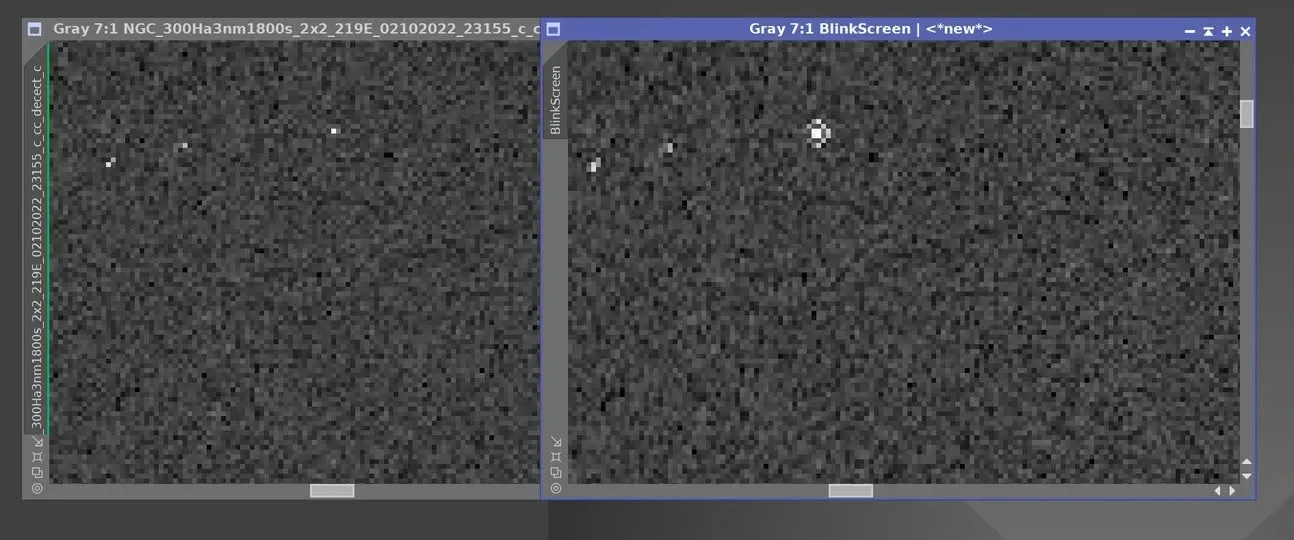
The left image is before star registration, the right is after. Why does the right image sprout a bunch of donut-like patterns? The answer: those white dots aren’t stars, they’re hot pixels. These should have been eliminated during dark subtraction and Cosmetic Correction, but they weren’t, so during star registration the interpolation algorithm “reshaped” them into donuts that remained in the final image, and in no small number.
The good news is that, given enough frames and well-tuned rejection algorithm parameters, all those donuts still ended up being wiped out in the end. But this also perfectly illustrates the point: hot pixels should be eliminated as much as possible during the dark and Cosmetic Correction stage, to keep them from being reshaped by the registration process into something that clutters the frame; don’t shove all the responsibility onto rejection later.
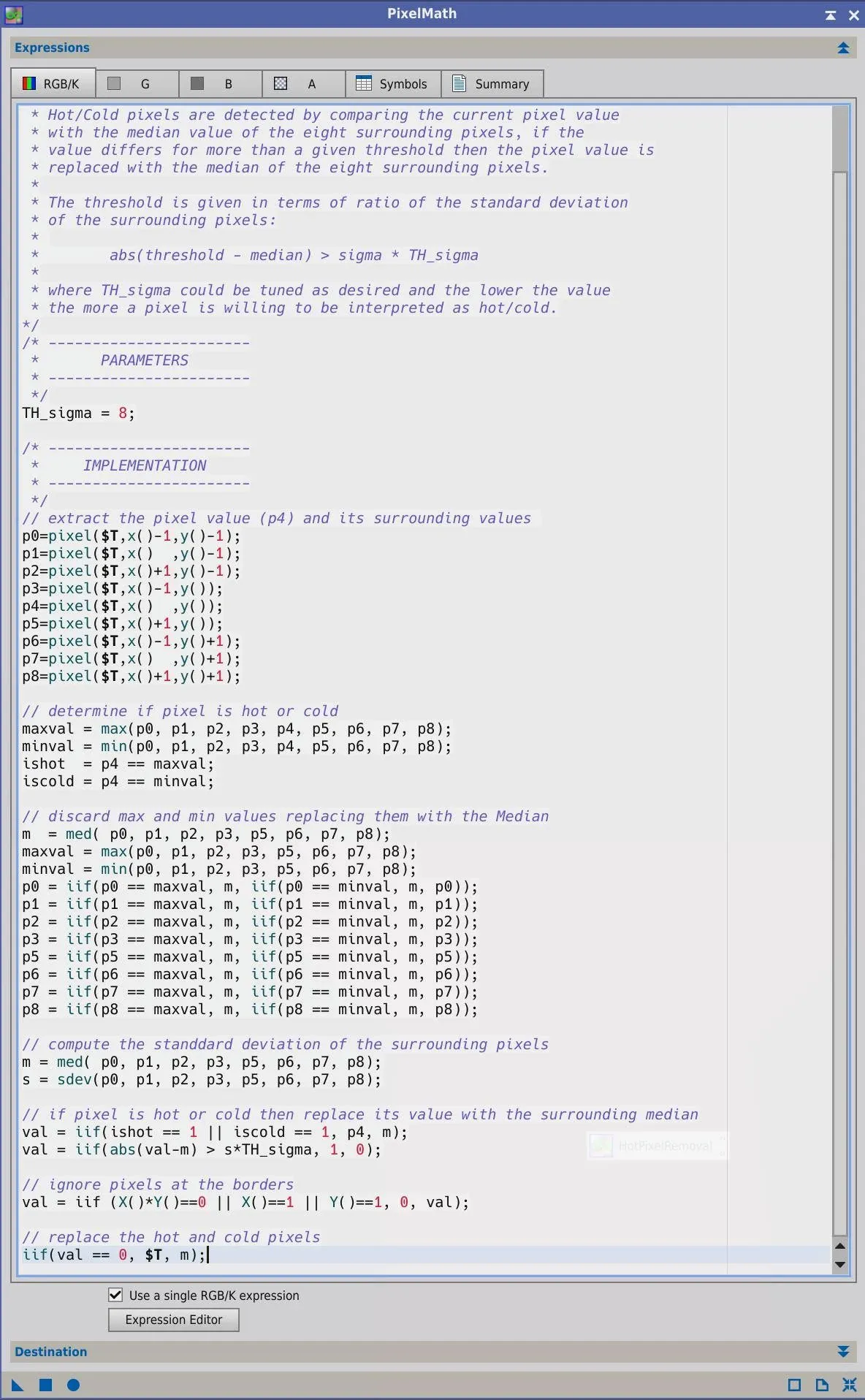
By the way, if you feel PixInsight’s built-in Cosmetic Correction isn’t good enough, there’s a fellow imager in the community (Roberto Sartori) who wrote PixelMath code for handling hot and cold pixels. I gave it a try, and it worked even better than the built-in Cosmetic Correction. I really envy people who can code.
An Extreme Case: The Compound Defects of a Large Telescope
Finally, let’s look at an extreme “every defect all at once” example, from a 1-meter-class large telescope. Shooting with this kind of telescope is actually no fun at all. It uses an alt-azimuth mount and a field rotator, and when shooting targets within 20 degrees of the zenith, the field rotator spins very fast in order to hold the target’s position. This produces split diffraction spikes, with the spike angle differing in every frame, and even two different spike angles within a single frame.
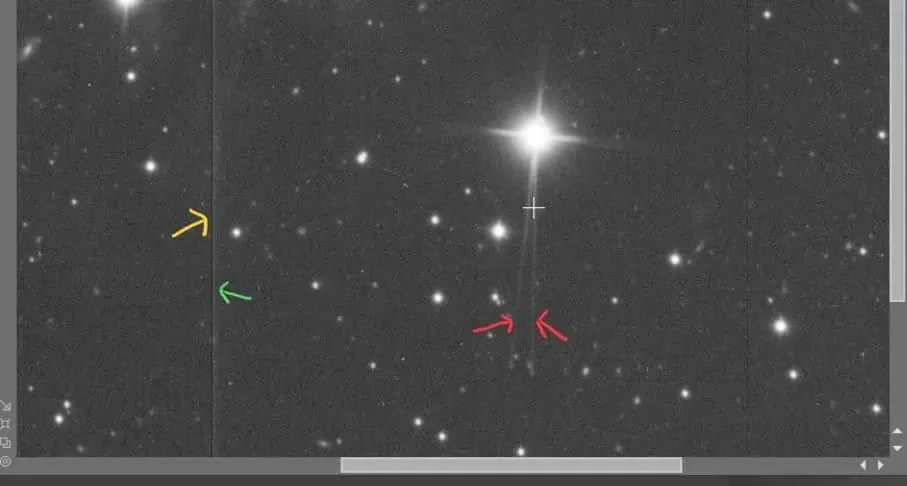
This image also has a defect column (that one’s relatively simple to handle), plus something seeping in from the side that looks like AMP GLOW, resembling wall mold. There’s no ready-made solution for this kind of compound defect; you can only take it apart and tackle it one item at a time. And that’s the norm in astro post-processing: perfect data doesn’t exist, and what we can do is find the solution for each individual problem.