Overall Workflow Diagrams for Galaxies and Nebulae
Beginners just starting out with PixInsight most often crave a “workflow” — something like a recipe, so they can follow along and serve up a nice, tasty dish. This article gathers the galaxy and nebula workflow diagrams I kept from my early days, and adds a few thoughts about workflow in general.
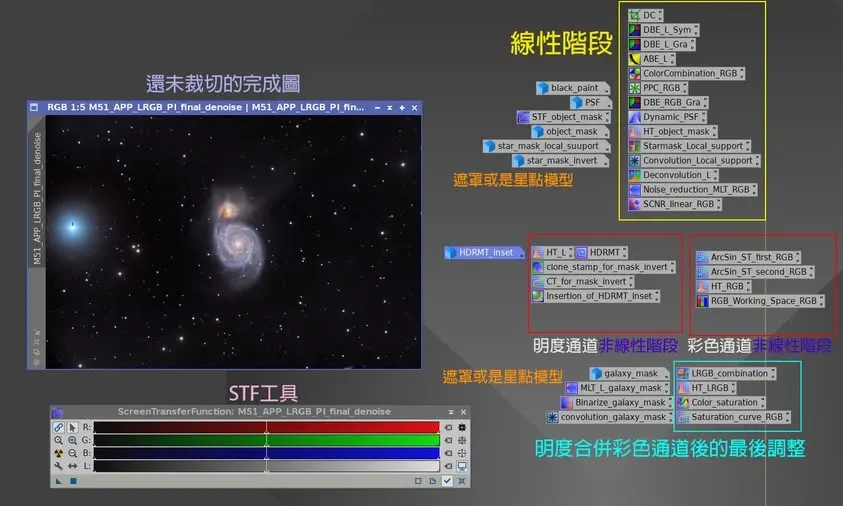
The Galaxy Workflow Diagram
I dug up an image of the galaxy M51 from my early days learning PI, which preserves the complete workflow I used at the time.
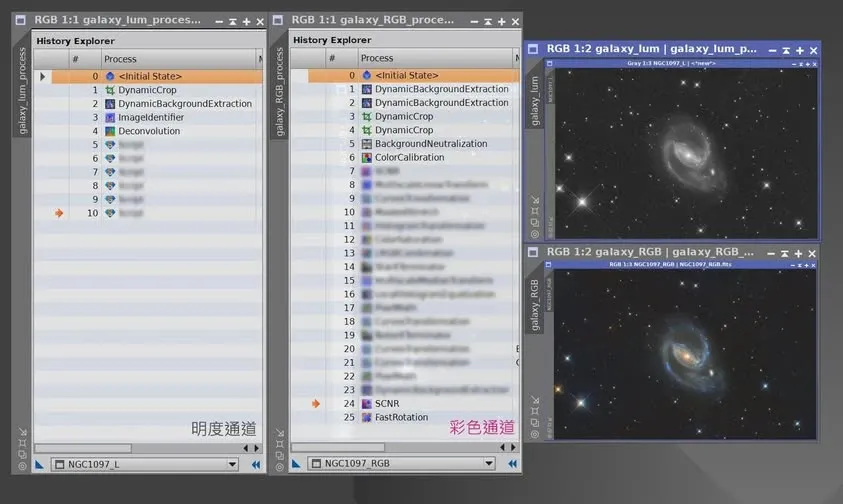
I should point out that this diagram does not include preprocessing (Pre-process) — that is, it doesn’t cover the work before integration. You can also see that the luminance channel and the color channels are processed separately, because I was using a monochrome camera at the time. If you use a color camera, I’d likewise suggest extracting the luminance channel and processing it separately, then combining it with the color channels afterward.
The Nebula Workflow Diagram
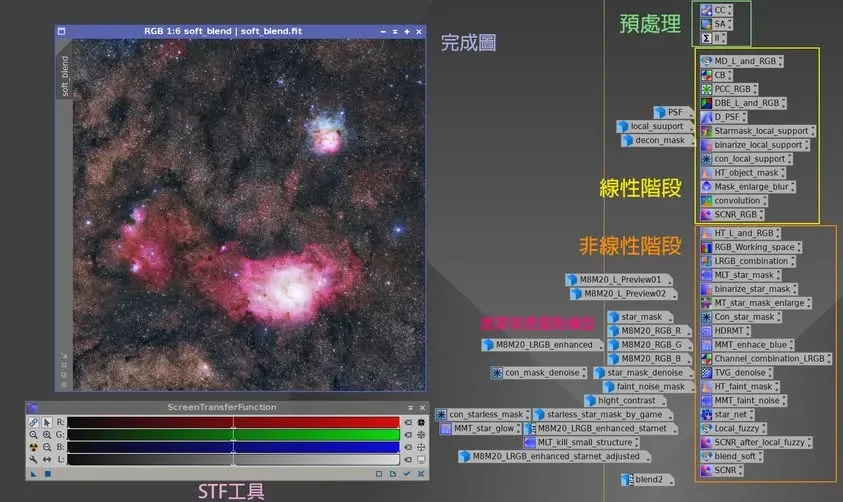
By the same logic, I also dug up a photo from the first time I ever post-processed a nebula (M8 and M20), which preserves the complete workflow of the time.
This diagram does include part of the preprocessing (namely registration and integration), but not the image calibration part. On the whole, the nebula post-processing workflow is usually a bit longer and a bit more involved than for galaxies.
A More Complete Galaxy Processing Workflow
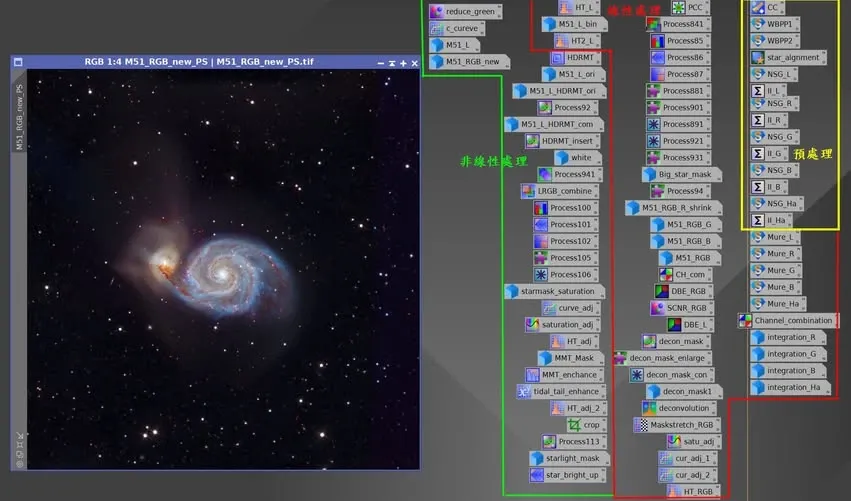
As experience accumulated, my galaxy processing workflow became more complete too. Let me share a more recent approach: from preprocessing, through linear processing, all the way to nonlinear, and once the PixInsight workflow is finished, moving into Photoshop for fine-tuning of defects and color to complete the final product.
Worth mentioning is that PixInsight automatically records the editing process. If you save the whole processing session as a project or a single XISF file, it can contain the complete editing history. With M66 as an example, you can review in fast-forward how the RGB channels changed from the linear stage to the finished stage; the most dramatic moment is the enormous difference in the image once the luminance channel is added — which again confirms the crucial role the L channel plays in galaxy detail.
How Long Does the Workflow Take? And Should You Skip Steps?
Finally, to answer a question beginners often ask: doing a simple pass on a galaxy in PixInsight — how much time does it take?
Take a galaxy with a total capture time of 17 hours as an example: not counting integration preprocessing, it takes about 1.5 hours to finish — less than a tenth of the capture time, really.
But I have to emphasize that although the processing time is only an hour and a half, every step that should be executed and every enhancement that should be applied — in both the luminance and color channels — was done following the basic workflow, with nothing skipped. The value of a workflow diagram lies precisely in reminding yourself not to skip any of the basic steps.