Getting Started with BlurXTerminator: A Guide and Field Notes
These notes were compiled from 2022–2023. Some tool versions or workflows have since been updated, so please keep that in mind while reading.
BlurXTerminator (BXT) is a PixInsight plugin from Russell Croman that performs deconvolution using a model built on a convolutional neural network. The moment it launched, it became one of the hottest topics in the amateur astrophotography community worldwide. This article gathers some of my own field notes, from my first experience to everyday use, along with a few things to watch out for.
First Impressions: Galaxies and the Moon
I first tried BXT on a galaxy image I happened to be processing, and on an image of the totally eclipsed Moon I had processed earlier.
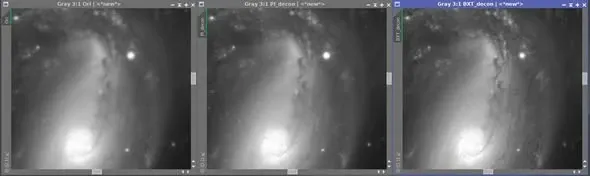
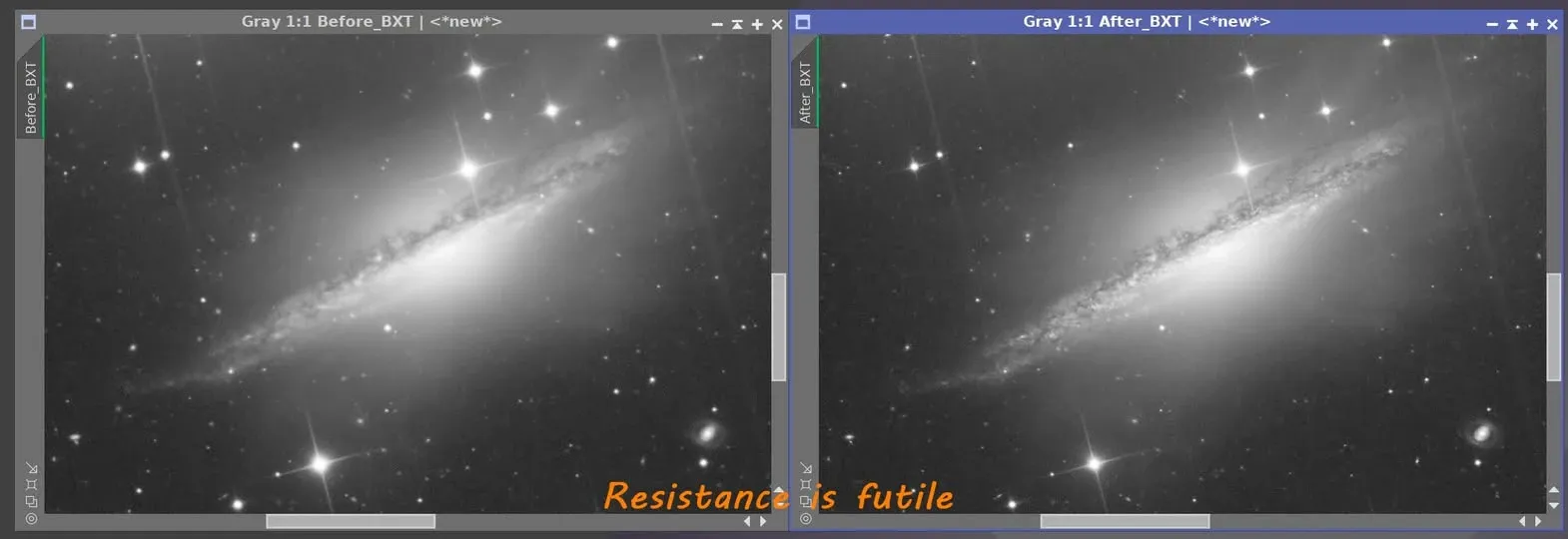
For the galaxy, here are three results side by side: on the far left is the unprocessed original, in the middle is the best result I could achieve at the time with PixInsight’s native deconvolution, and on the far right is the BXT result. BXT rendered the finest detail, the larger stars weren’t damaged, and it even slightly reduced the stars as a bonus.
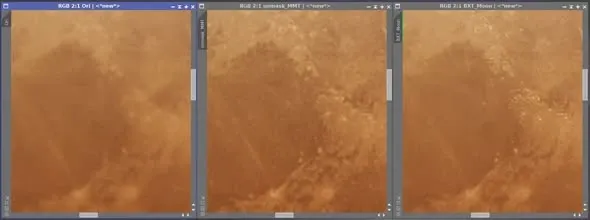
For the Moon, again three side by side: the original, my version with UnsharpMask and MMT applied, and the BXT result. BXT’s version looks more natural, and seems to leave fewer artifacts.
I originally wanted to keep going and test a planetary image, but dropping in a shot of Jupiter failed outright — it couldn’t produce any meaningful result. It seems the training images didn’t include Jupiter, though they must have included lunar imagery. Perhaps a future version update will add planetary images — and then BXT’s range of use would grow even wider.
Is It Worth Buying?
After seeing and trying out what BXT can do, a lot of people ask the practical question: is it worth paying for? The plugin costs around 99 US dollars and offers a 30-day free trial. If you’re a PixInsight user, you can request a serial number and update your installation to try it out.
My own answer is blunt — this thing had been sitting in my cart for ages, and after the trial I pulled the trigger.
Limitations and Things to Watch For
BXT is handy, but it’s not a cure-all. Here are a few situations you’ll run into in practice:
There’s a Limit to What It Can Correct
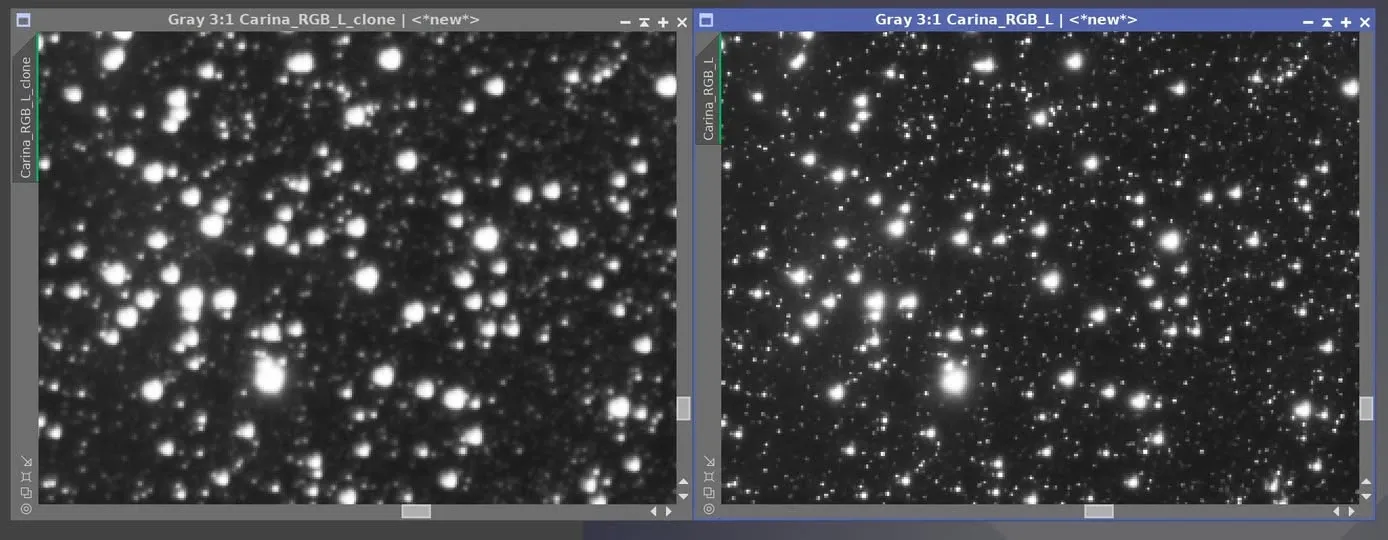
I once had a batch of images with tile-related problems around the edges, and I turned to BXT to see if there was any chance of salvage. Take the open cluster in the frame as an example: after correction the stars did get smaller, but the improvement in star shape was quite limited. The tool can recover some things, but don’t expect it to completely smooth out serious structural problems.
Bright Areas Can Produce Saturated Pixels
This is a problem to watch for particularly when using BXT (AI2). All the following images are in the linear stage.
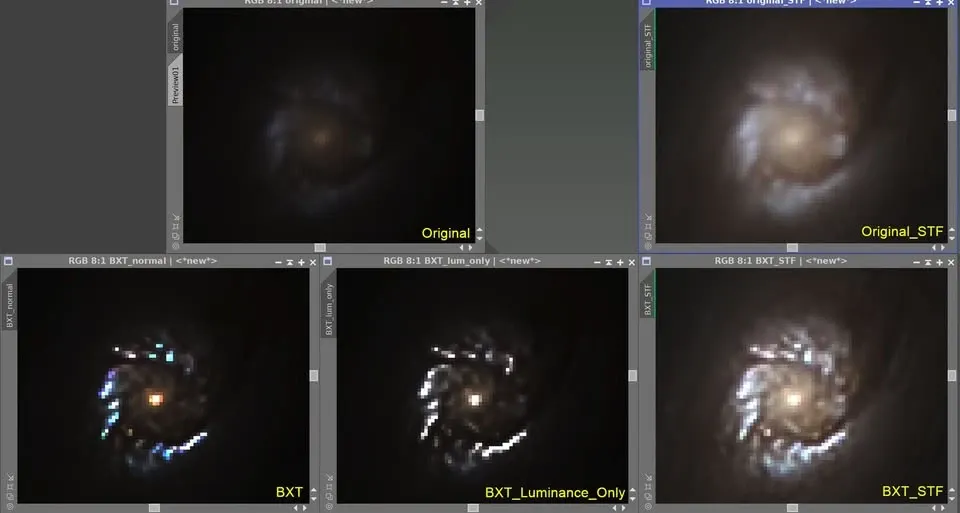
Take a galaxy core zoomed to 800%: in the original the core is quite bright, faintly visible even without a screen stretch. After BXT — whether in normal mode or Luminance Only mode — the image developed some saturated pixels, extremely high in brightness, very nearly 1 (pure white). Apply even a little screen stretch to these saturated regions and everything around them saturates along with them, losing color and detail.
This problem currently has no fix, and it doesn’t only appear in galaxy cores — it also shows up around the saturated regions of some bright stars. So far I’ve only observed it on color images; I haven’t seen it on monochrome images.
The current workaround: first cover the saturated regions with a mask (for example by extracting the luminance channel and inverting it), then run BXT, and you can avoid this problem.
One more note: in NoiseXTerminator (NXT), if the image is a stretched, nonlinear image — especially one whose saturation or curves have already been pushed heavily — I’ve run into a similar situation, so those of you using it may want to keep an eye out.
How AI Changed the Workflow
I hadn’t done manual deconvolution in a long time. Once BXT is set up appropriately, one run and it’s done; and if you have a CUDA-capable graphics card, you can even preview the result in real time.
The time it saves goes beyond just the deconvolution step: after star removal, you no longer spend loads of time fixing the leftover defects in the starless image; and when it’s time for noise reduction, you no longer have to build a mask every time to exclude the areas that don’t need it. The whole AI toolchain simplifies several of the most tedious steps of the old process.
(At the time, the community was still passing around a rumor that the next product would be a GradientXTerminator II trained on an AI model — but in the end it looks like it went more in the direction of DBE.)
The Right Mindset for Using It
Let me close by quoting a reminder from Russell Croman himself. Although BlurXTerminator AI4 can correct a wider range of optical aberrations, nothing can replace proper equipment tuning. No matter which tools you use, better raw data will always produce a better final image.
AI4 can easily correct some serious aberrations, but any software tool’s ability to fix problems is always limited. Invest the time and effort to minimize collimation errors, focal plane tilt, imaging train flexure, focus errors, and guiding errors, and you’ll be rewarded with superior results.

BXT is a powerful tool, but it’s meant to make good data better, not a magic potion for rescuing bad data. That mindset matters more than any parameter setting.