Image Selection: Getting It Right With Blink and SubframeSelector
After a full night of shooting, dozens or even hundreds of light frames sit on your hard drive, and the first question you have to face is: which ones do I keep, and which do I throw away? In PixInsight there are two roads you can take—one is to use Blink and judge with your eyes, the other is to let SubframeSelector (SS for short) quantify and score them for you. This article gathers some of what I’ve learned about image selection over the years, discussing where each of these two tools fits, and the trade-offs I actually make.
Beginners: Trust Your Eyes and Your Brain First
Many people rush straight to SS from day one, spreading out every image’s FWHM, SNRWeight, Noise, and so on to study. But if your frame count is low (say, under 50 to 100), honestly SS may not be all that useful, and a quick pass through Blink is faster.
More importantly, there is no necessary relationship between these measured values. Unless a number is truly outrageous—for instance, a frame with no stars in it at all—looking at numbers alone isn’t more reliable than judging with your eyes, nor is it necessarily faster.
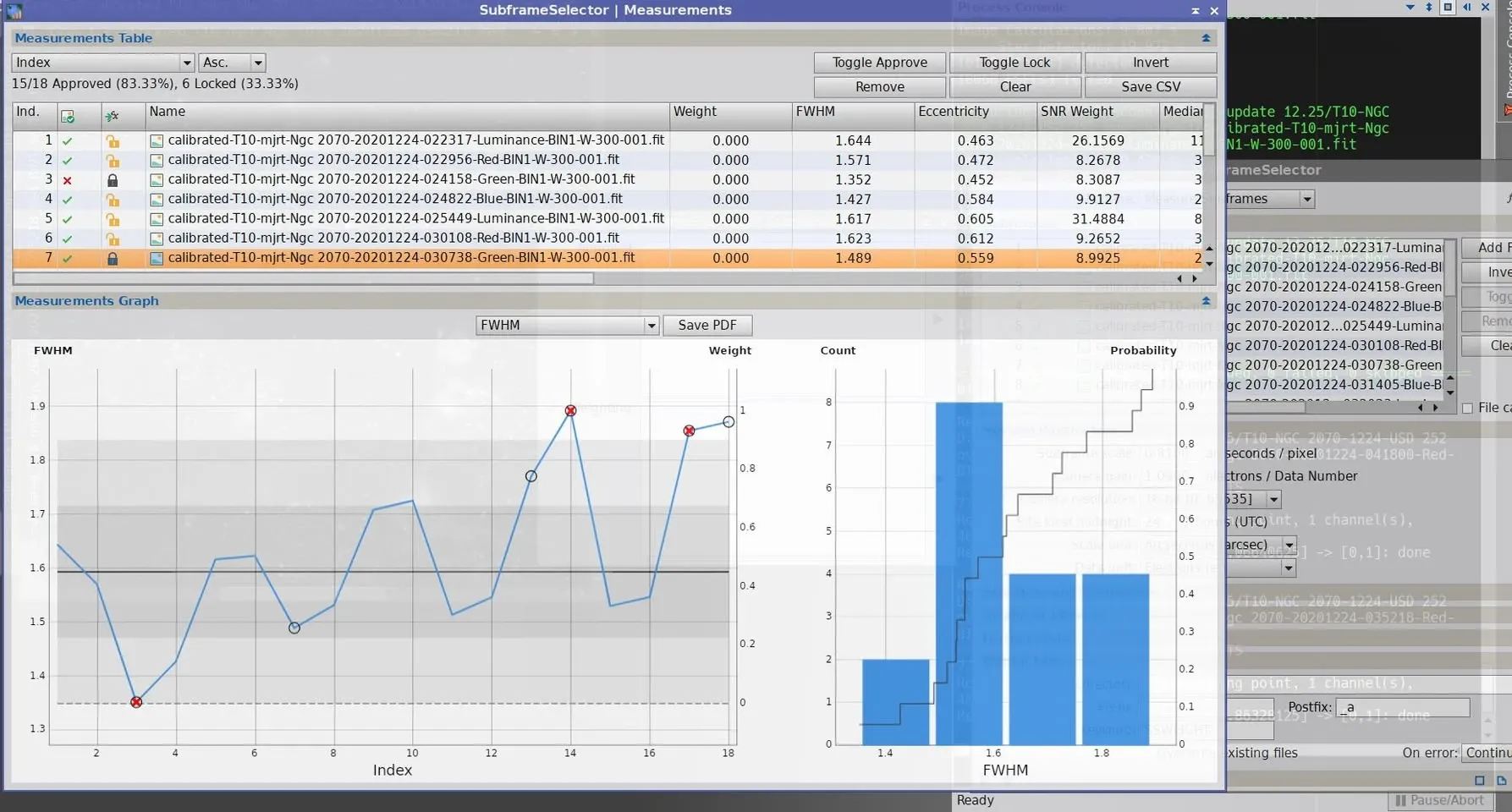
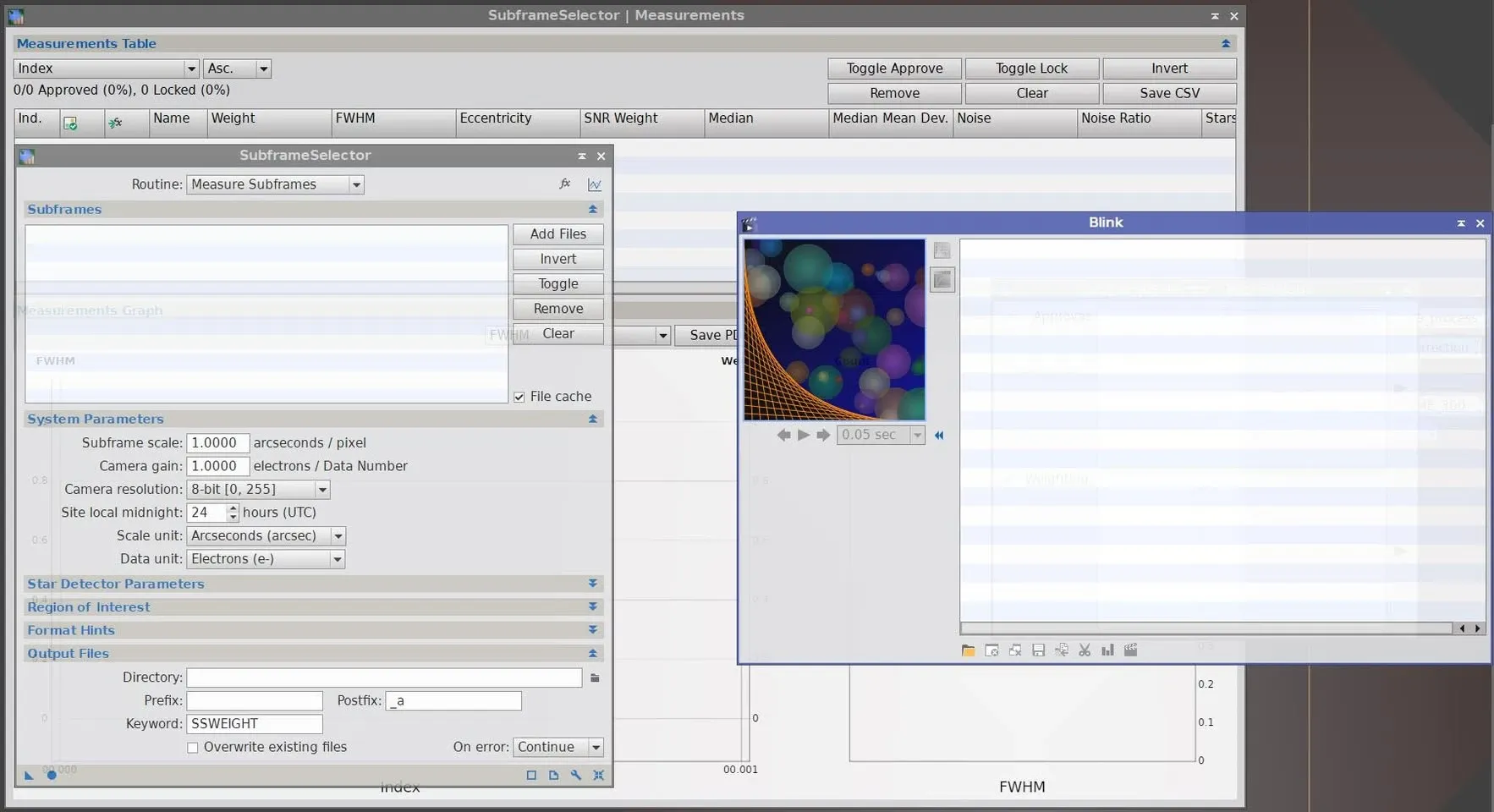
I often cite an example: a fellow imager once asked me about culling frames with SS. My advice to beginners has always been to first use Blink together with your own eyes and brain to judge. Almost anything SS can do, your eyes plus your brain can do too—and SS actually hides a few pitfalls that can lead you to misjudge image quality.
The most typical is the “high SNR but poor image quality” situation. A common cause is thin cloud reducing the number of stars, which pushes the SNR number up, but the frame is actually unusable. Cases like this need other variables to judge correctly; yet the human brain plus eyes will often spot in a single second that this frame is no good.
So, trust your brain and your eyes first, and take a good look at the photos you shot.
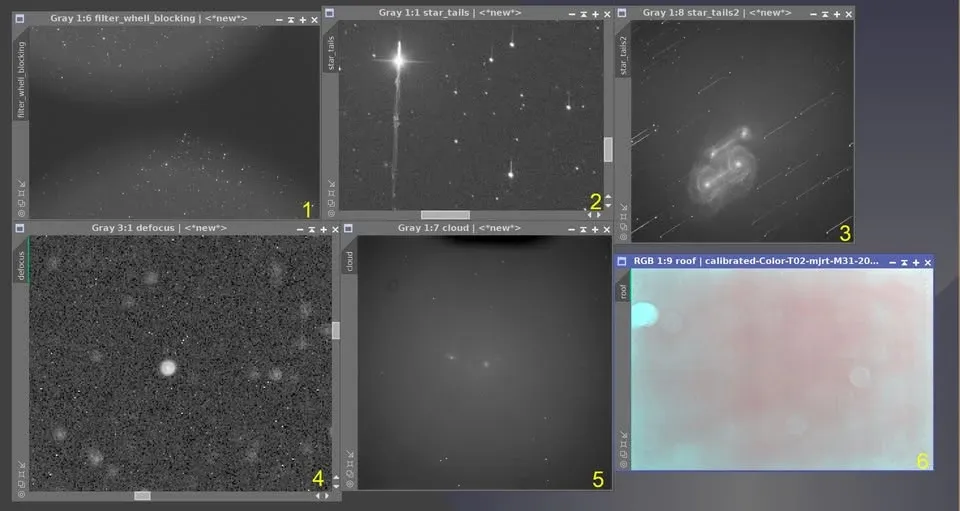
Images I Cull Outright at the Blink Stage
At the Blink stage, there are a few classes of image I cull the moment I see them, without any further hesitation:
- Filter-wheel obstruction
- Serious trailing
- Even worse trailing
- Severe defocus (a black hole appearing in the middle of the stars)
- Cloud cover so bad the object is nearly invisible
- The observatory roof caught in the frame
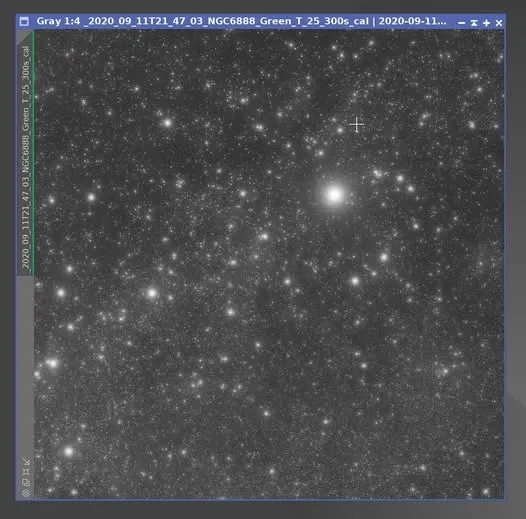
There’s also a trickier one I haven’t mentioned yet: images shot with a fast (wide-open) lens and affected by high-altitude thin cloud. The trouble with these is that you usually don’t discover the problem until after integration and RGB combination—the stars turn out bloated and diffuse. If, across the whole batch, the number of normal frames isn’t greater than the number affected by high-altitude cloud, then these frames with diffuse stars can only be culled and reshot.
Where SubframeSelector Fits: Quantifying and Weighting
So is SS useless? Of course not. SS’s basic function is to change each frame’s weight according to set conditions or measured values, and then output them. In other words, its real value isn’t in “picking one of two to cull for you,” but in “assigning different weights to every basically acceptable frame,” so that they contribute to the integration at different levels.
SS can measure quite a few parameters. For example, if you want to evaluate by star shape, you can look at the eccentricity parameter. It measures how much a star’s outline is deformed: for an elliptical star outline, let the major-axis diameter be a and the minor-axis diameter be b (with a greater than or equal to b); then the eccentricity equals the square root of (1 − b² / a²), and the star’s aspect ratio is b / a. The closer the eccentricity is to 0, the rounder the star; the closer to 1, the more it’s stretched out.
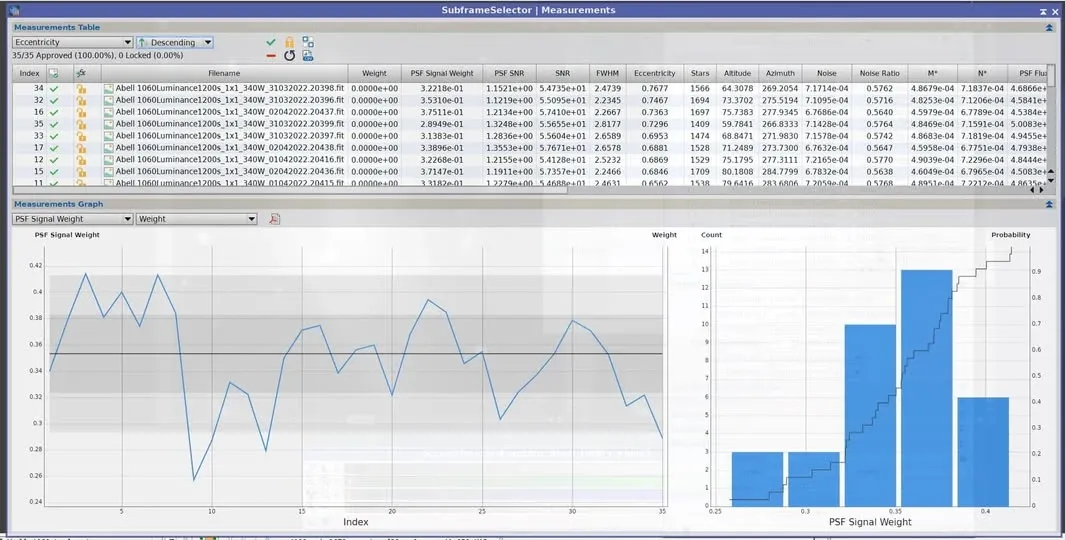
In practice, I sort the inspected images by star roundness, then go back to Blink to check exactly what’s going on with the images that scored lower on roundness—and of course there are other parameters to factor in as well.
What I Do Now
Honestly, apart from the Blink stage, where I still look with my own eyes, I’ve handed almost all the evaluation work over to the computer. Demonstrating SS in an article is more about helping everyone understand the logic of how it works; when it’s actually go-time, I let the computer automatically assign image weights using a mix of parameters, then pair that with an appropriate rejection algorithm and settings to integrate.
The goal of doing it this way is to have every basically acceptable frame contribute to the integration at an appropriate weight, pulling its own fair share, so as to optimize the captured frames and the accumulated total integration time and push the object’s SNR as high as possible.
So the overall workflow can be understood like this: Blink (eyes on guard, culling the junk) → hand it to the computer to quantify and weight → integrate. The eyes handle what can be judged in a single second, the computer handles what needs weights calculated precisely, each doing its own job.