Chromatic Star Dispersion: Separating and Registering RGB Channels to Fix It
A bright star that’s blue on one side and red on the other, or a star with a different color staining each side — this is a problem a lot of people run into. This “chromatic star dispersion” can show up whether you use a monochrome or a color camera, and the causes could be atmospheric dispersion, telescope chromatic aberration, or one channel not sharing the same focus as the others, or being outright defocused. The good news: the perfect image never exists, so when you hit this problem there’s no need to rush out and reshoot — image processing can usually improve it dramatically.
First, get it straight: this is chromatic aberration, not every aberration
Before you start fixing, you need to be clear about which category star dispersion falls into. There are several kinds of deviation in astrophotography caused by optical misalignment: focus and tilt aberration, spherical aberration, coma, and astigmatism.
Chromatic star dispersion (lateral chromatic aberration / atmospheric dispersion) is a different level of problem from the aberrations above. Although PixInsight’s Debayer can separate the RGB of an OSC image and align them to G, it only solves lateral chromatic aberration or atmospheric dispersion, and cannot solve those aberrations caused by optical misalignment. Draw this line clearly first — channel separation and registration can rescue dispersion, but it can’t rescue defocus or tilt.
Color cameras (OSC): separate RGB, align to G
For images shot with a color camera, if the bright stars appear blue on one side and red on the other (this is especially obvious on yellow stars), the approach is to separate the RGB after calibration, register the R and B channels — which have worse signal-to-noise — to the better signal-to-noise G channel, then integrate them separately and merge back into RGB. After processing, the color fringing on both sides of the bright stars will be markedly improved.
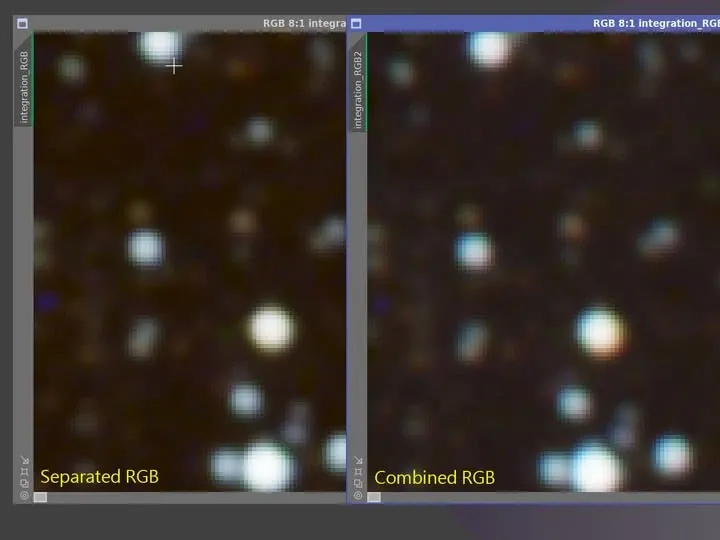
There are two routes in practice:
- When Debayering manually: choose separate RGB Channels in the Debayer settings, then align R and B to the G channel when running Star Alignment.
- When using WBPP: check the corresponding option, and WBPP will automatically perform the steps above and recombine the RGB channels afterward.
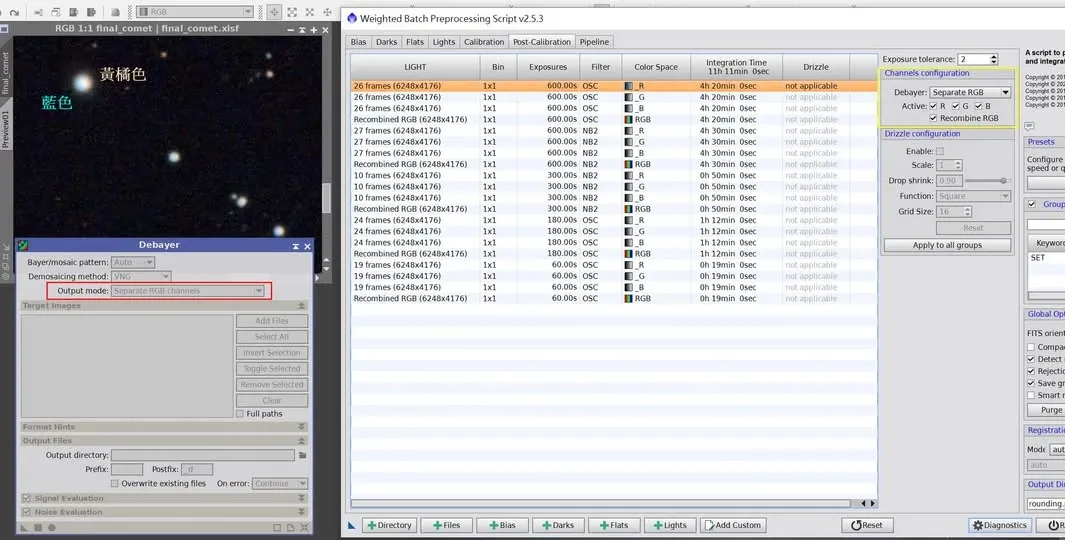
In my experience, color BSI CMOS cameras — whether paired with a long or short focal length refractor or reflector — have all run into this kind of dispersion, and this method dramatically reduces its impact in every case.
Monochrome cameras: stars of different sizes across channels
Shooting RGB with a monochrome camera, you’ll also often run into stars of different sizes across the channels. For example, in one set of shots the red channel was slightly out of focus, making the R stars bigger than the other channels, with their centers not aligned with G and B — so after merging the stars look lopsided, with a big patch of red.
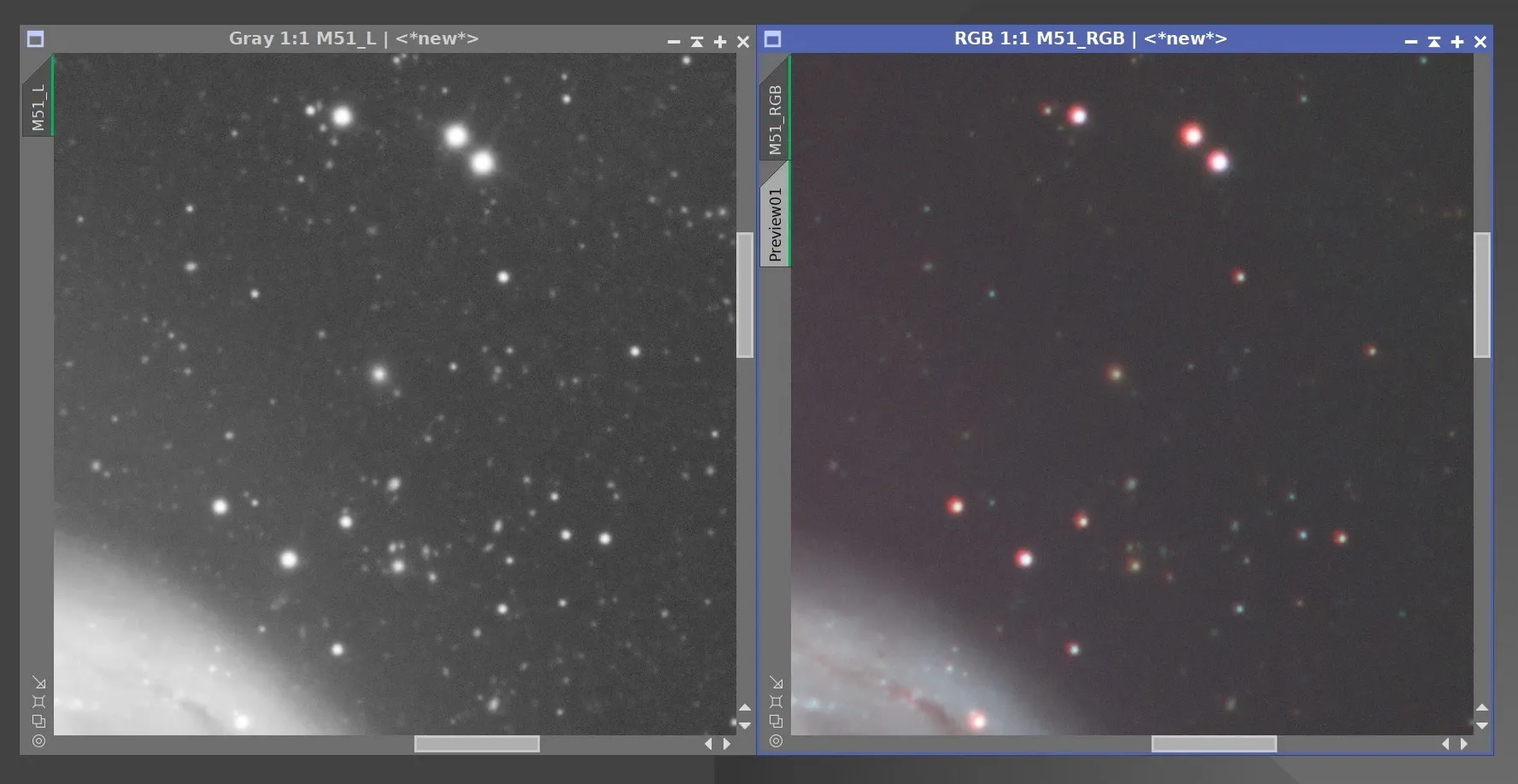
There’s no need to rush to reshoot in this case; the fix is roughly three steps:
- Manually re-register the RGB.
- Separate the RGB channels and apply star reduction to the channel with the bigger stars.
- Recombine the star-reduced RGB channels.
After processing, you can still see the two sides of the stars are slightly different colors, but it’s much improved. A set like this takes about 10 to 15 minutes to fix.
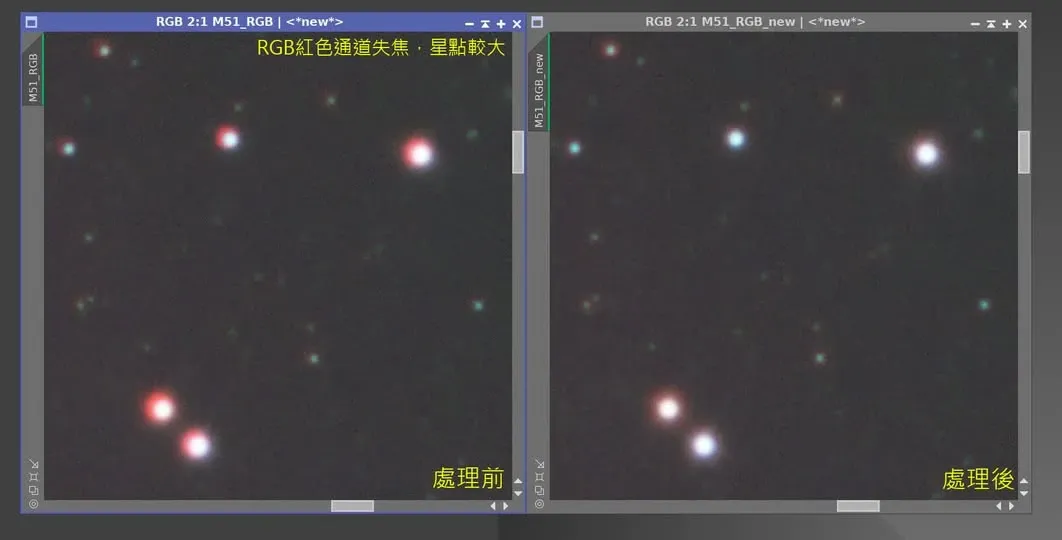
Another remedy tool: ChannelMatch
Beyond separate-and-register and star reduction, there’s an even more direct remedy — PixInsight’s ChannelMatch. It can adjust the positions of the three RGB channels individually, pulling back the situation where each side of a star is a different color.
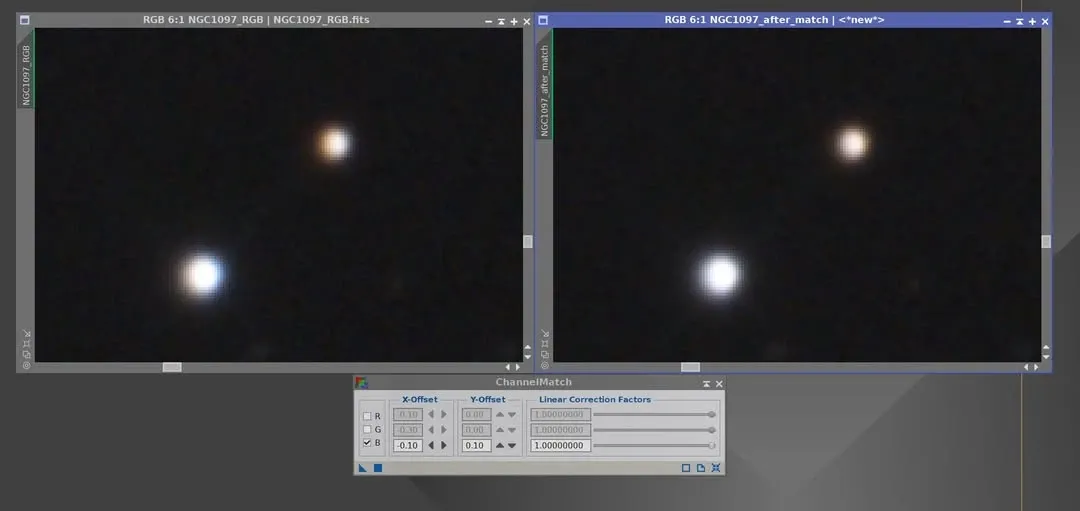
One thing to note especially: use ChannelMatch in the linear state. If you wait until the nonlinear state to use it, the effect is greatly diminished, or even useless entirely. This is the same as many linear-stage correction tools — if the timing is wrong, no tool, however good, can save the day.