Astro Pixel Processor: Hands-On Impressions and Update History
This article is compiled from notes I took between 2021 and 2022, and records how Astro Pixel Processor performed in its versions at that time. The related tools and workflows may well have been updated since, so please keep the time frame in mind while reading.
Astro Pixel Processor (hereafter APP) is a paid astro image processing suite whose selling points are integration and mosaic stitching. Over this period I kept track of its updates and actually put it up against Siril and PixInsight. Here I gather my observations from the time, for anyone still weighing whether to buy in.
1.083 beta: A Supposedly In-House Star-Removal Tool
At the end of May 2021, APP quietly rolled out the 1.083 beta 2 test build, with three main updates:
- A star-removal (subtraction) tool, which the author stressed does not apply StarNet++ but was developed entirely with his own algorithm;
- Refinements to the alignment tool;
- Improvements to other editing and saving tools.
Star removal was the most eye-catching new feature of this build, and I tried it right away. The result was not good—it consumed a huge amount of memory during the process, the image broke up after star removal, and in the end even saving failed. If your computer does not have 12GB or more of memory, this feature will probably just freeze up outright, so I would suggest steering clear of it for now. The author said at the time that a stable release would come soon.
The Stable 1.083: The Star-Removal Tool Got Worse Instead
In January 2022, APP finally updated to the stable 1.083. The official update highlights were plenty:
- A brand-new Star Reducer tool;
- Processing speed improved by roughly 15–30%;
- New Comet registration;
- Support for new cameras such as the Canon EOS R5 and R6;
- A greatly improved HSL selective color tool;
- New batch tools;
- A new saving module with PNG support.
The speed improvement and comet registration are genuine gains. But that heavily promoted star-removal tool seemed to do even worse in the stable release than in the beta. To be fair to it, I redid the test several times, and the result was the same every time. The official promo even went out of its way to use the Tarantula Nebula for the comparison, so I put the Tarantula Nebula through it too—the speed was indeed fast, but the result barely showed any star removal, and it damaged some of the stars on top of that.
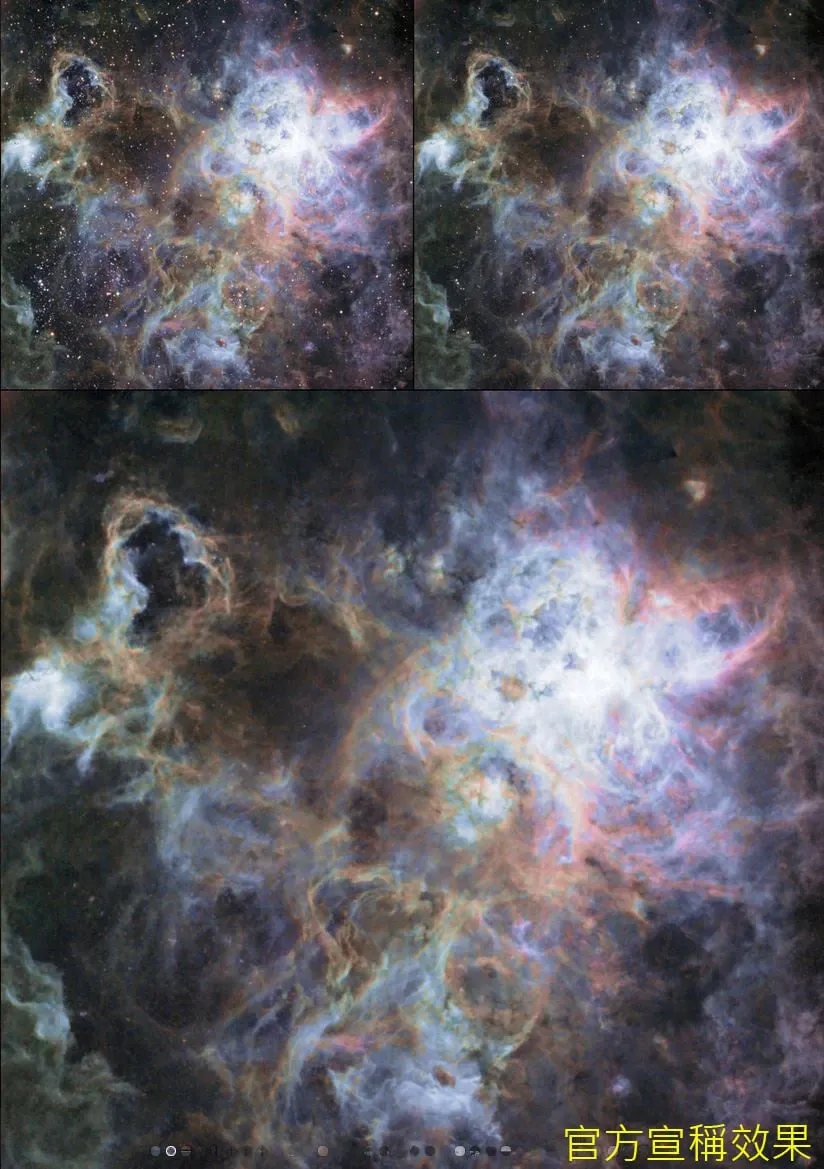
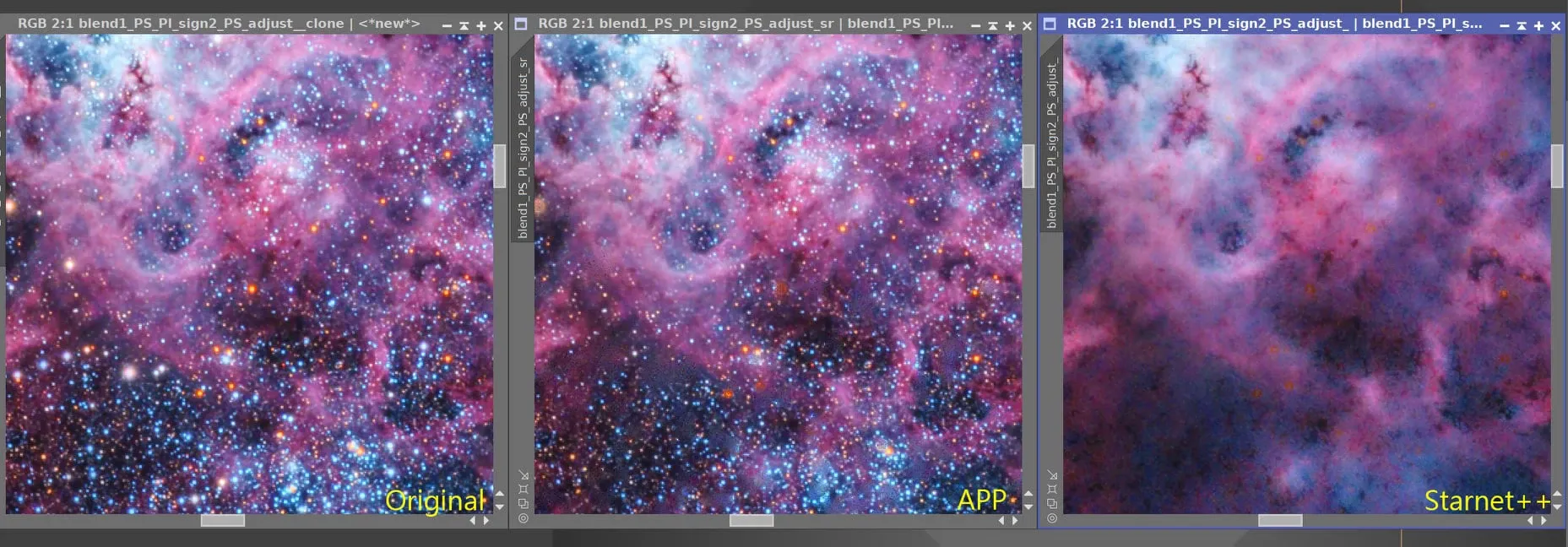
The conclusion is simple: this star-removal feature is a disaster all the same—don’t use it, just use the free StarNet++. When a mature solution like StarNet++ already exists out there, going off to build your own algorithm from scratch is honestly hard to understand.
Alignment Wrecks Photos Too
Besides star removal, APP tripped me up in the alignment stage as well. When aligning with the default settings, the integrated image comes out with abnormal black rings. I dug up several sets of material shot with different telescopes to verify this—large telescopes like the CDK 17 and CDK 20, as well as small refractors like the FSQ 106—and all showed the same phenomenon.
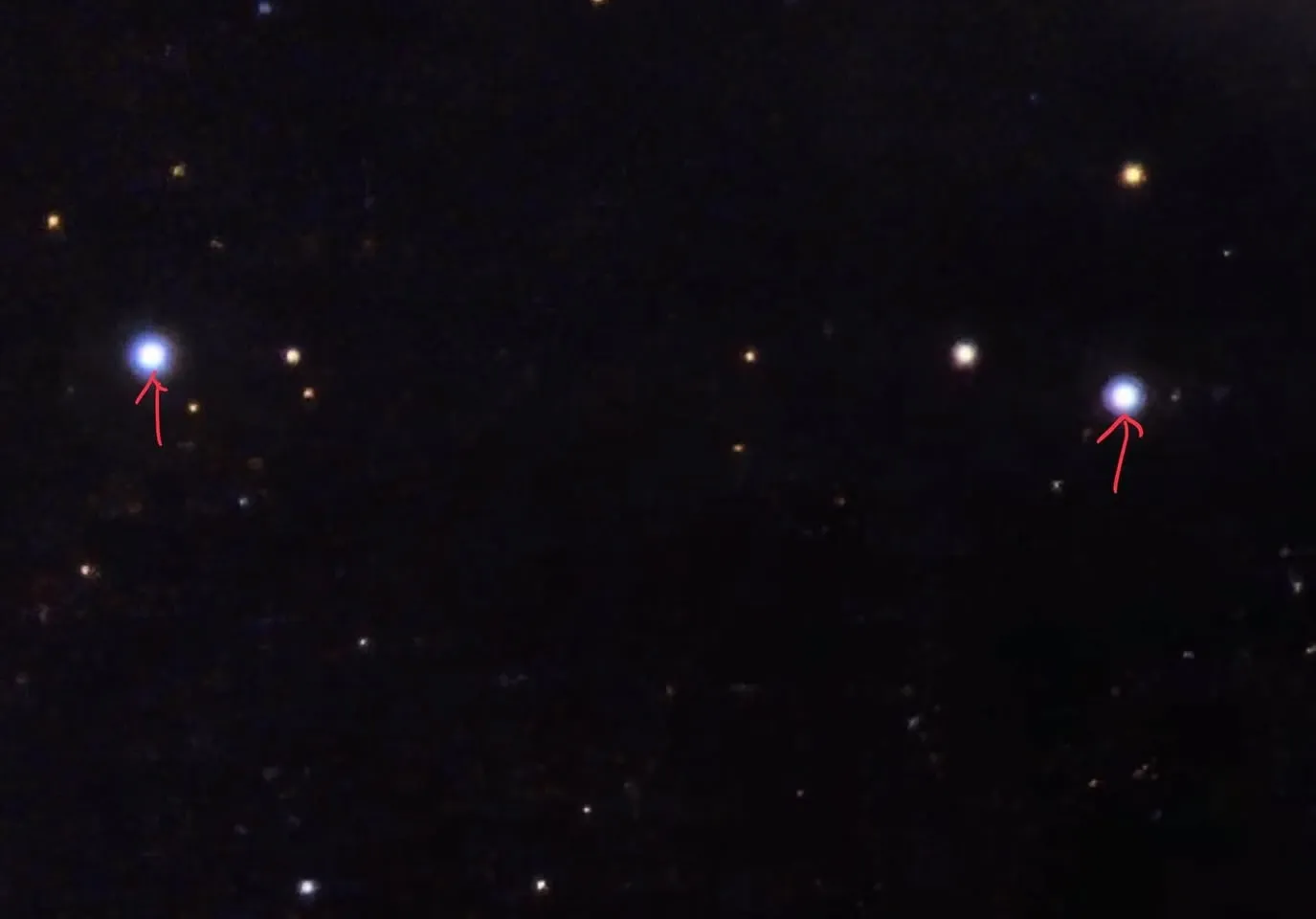
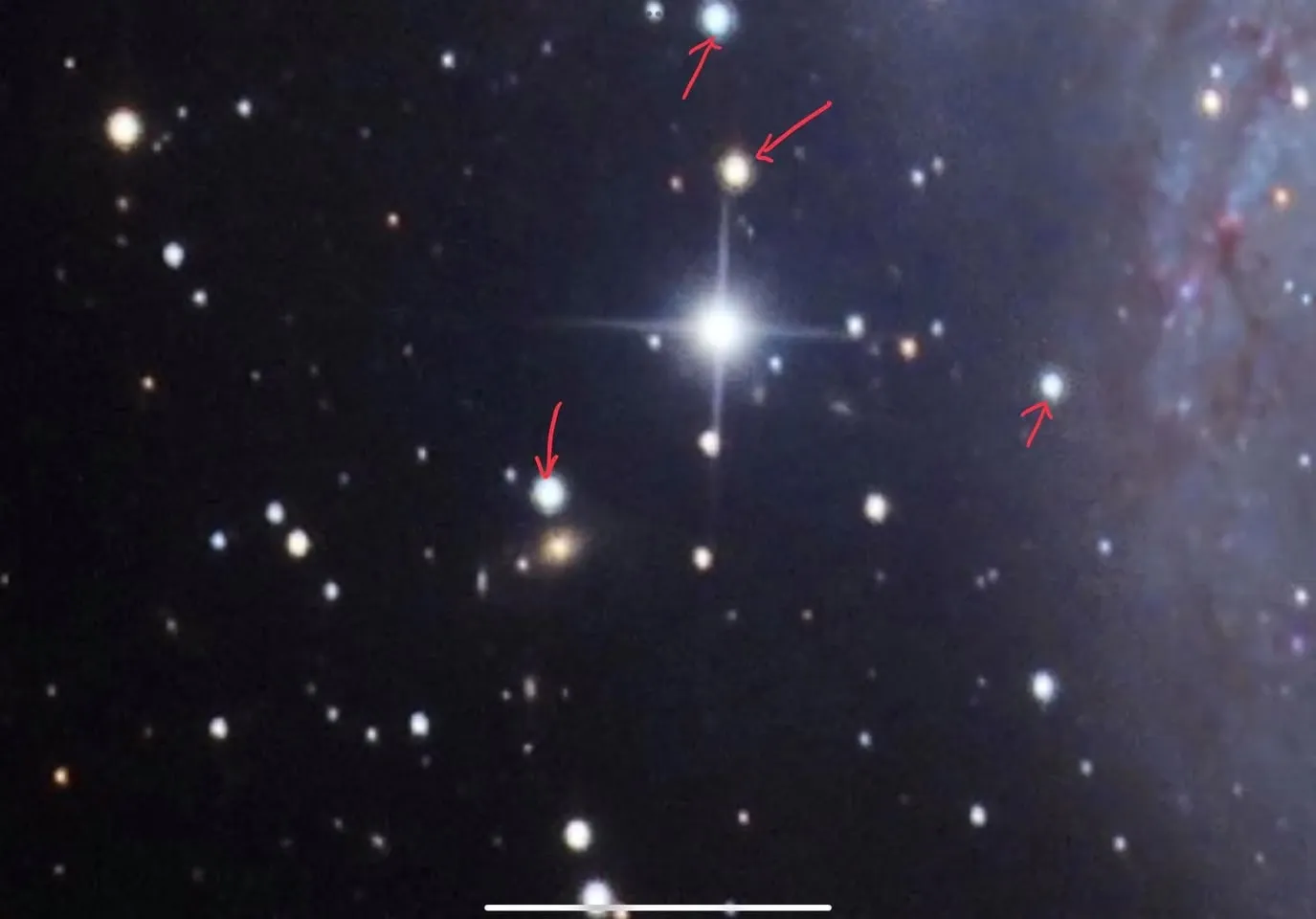
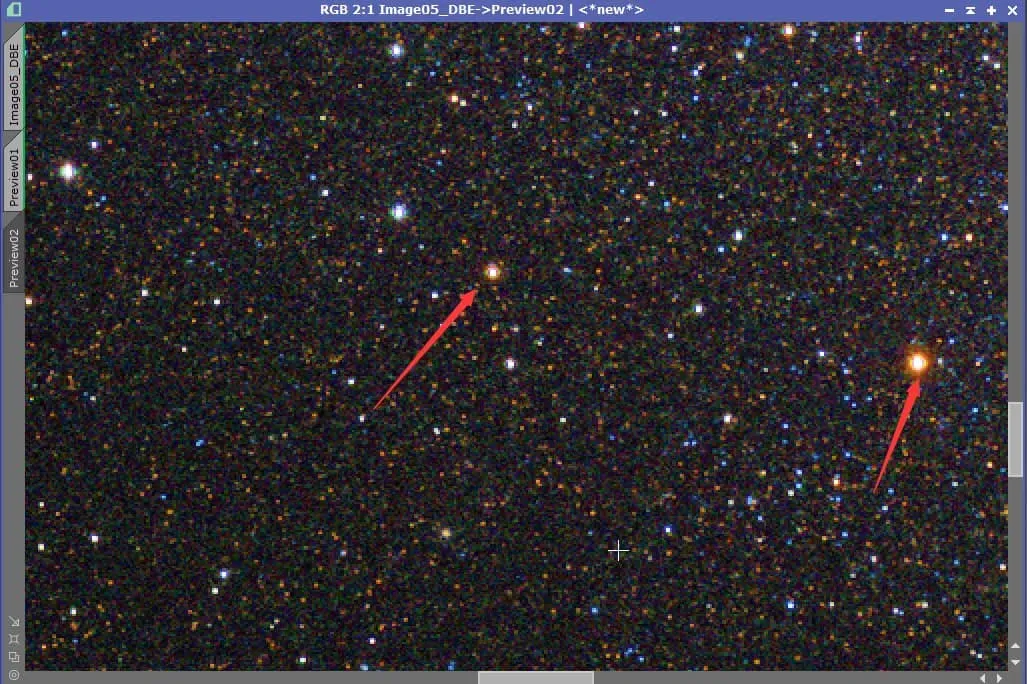
Because of this problem, unless it was for a teaching demonstration, I stopped using APP to integrate images after that.
My Overall Verdict
Frankly, my experience with this suite was not good: it was riddled with bugs, and the direction of its updates was hard to get behind (over the same span, PixInsight had three major updates within a single year).
If you are a beginner who just wants to integrate images, you might as well go straight to the free Siril. If you are an advanced user, I would suggest examining APP’s integrated results carefully and comparing them against Siril or PixInsight—many of the fine details are actually problematic.
At one point I even thought about selling off the three license serials I had—too bland to savor, yet a pity to throw away. Then again, having written my impressions this bluntly, will this software still sell at all?