Color Calibration in the Linear Stage: From PCC to SPCC
Color calibration is a critical step in the linear stage. If you don’t balance the colors well here, the problems tend to get magnified across the board once you apply a heavy stretch in the nonlinear stage — the blue of a galaxy’s spiral arms and the red of HII regions all go astray, the background turns uniformly reddish, and in the end you have no choice but to go back to the linear stage and redo it. This article sorts out the several color-calibration methods in PixInsight and when each one is appropriate.
Why It Must Be Done Well in the Linear Stage
Let’s start with the consequences. If color balance isn’t done well in the linear stage, then after a permanent stretch, galaxies often show a large patch of unexplained yellow (you see this a lot in beginners’ spiral-galaxy images online), the blue of the arms and the red of HII regions are all affected and look off, and the background turns entirely reddish. At that point the only remedy is to go back to the linear stage and redo the color balance.
To sum it up in one sentence: whatever you don’t handle well in the linear stage often gets fully magnified in the nonlinear stage. This is especially true of color calibration.
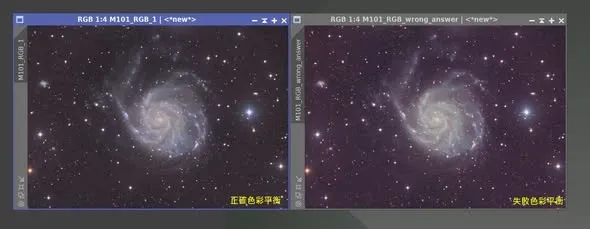
Color Casts After Integration Are the Norm
After integration, it’s very common for an image to skew green or red — whether OSC, or a mono camera after RGB combination, you’ll almost always run into it. It’s not that the camera is broken; it’s a normal phenomenon, and color calibration will fix it. All of the methods below are performed in the linear stage.
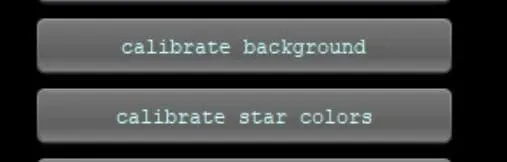
The Three Main Categories of Color-Calibration Methods in PixInsight
In PixInsight, there are three common color-calibration methods:
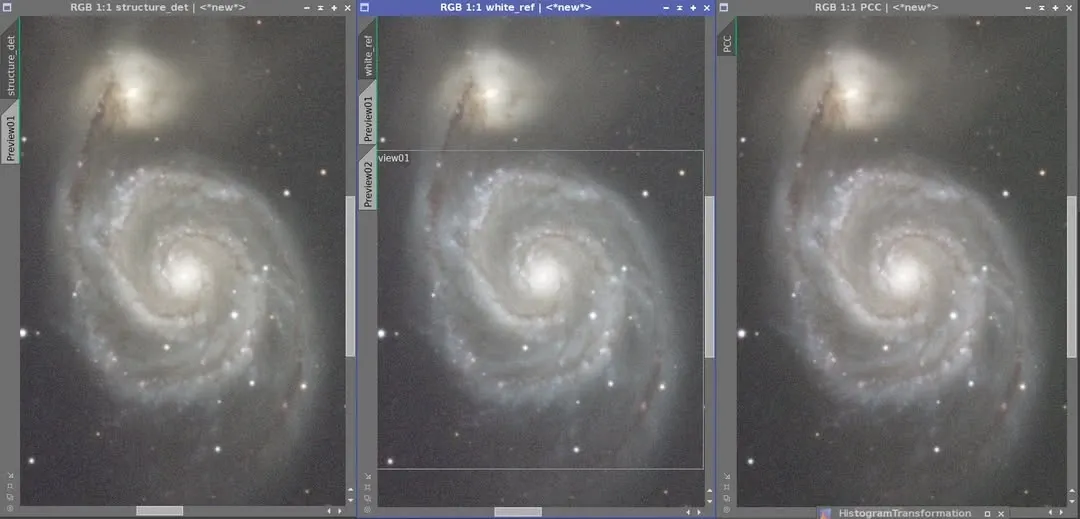
- Structure Detection: neutralize the background before using it (a local operation).
- White Reference: you need to specify a white reference and a neutral background (a local operation).
- PCC (Photometric Color Calibration): it works only after plate solving and successfully matching stars; it can use an online or a local star database.
I use all three. Sometimes I’ll even use PixelMath to blend several results together. The reason is very practical: PCC does occasionally fail, and when it does, knowing other color-calibration methods becomes important.
I’ve run into a case myself where PCC could plate-solve but couldn’t calibrate the color; I tried every known approach (including turning off the stellar-magnitude and other options) to no avail, and in the end had to fall back on traditional methods. However automated a tool is, you still need a backup plan.
While we’re at it, let me clear up one practice: some people use Linear Fit to do color balance. But in PixInsight this offers no particular advantage, because PI itself has plenty of dedicated tools available — PCC, Color Calibration (which further splits into White Reference and Structure Detection), Assisted Color Calibration, and so on.
Don’t Forget the Traditional Tools
I’ve seen plenty of people who, apart from PCC or SPCC, have no idea how to do color calibration. In fact PixInsight has quite a few traditional tools you can use: Color Calibration, Histogram Transformation, PixelMath, and even DBE are all methods that can come in handy when PCC or SPCC fails. Keep these in your toolbox, and you won’t get stuck when automation lets you down.
SPCC Settings for Narrowband Images
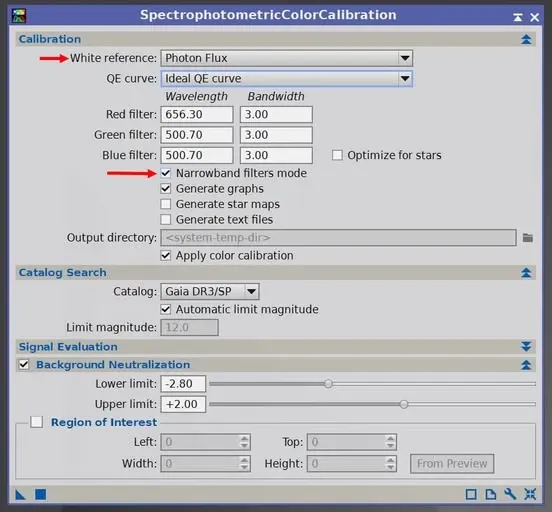
With the arrival of SPCC (Spectrophotometric Color Calibration), color calibration for narrowband images got its own corresponding settings.
For ordinary RGB images, SPCC’s White Reference defaults to Average Spiral Galaxy. But for narrowband images — including a mono camera with filters, or a color camera with a dual-band filter — besides checking Narrowband filters mode and entering the narrowband wavelengths and bandwidths, the official recommendation is also to change White Reference to Photon Flux.
Wrapping Up
From the PCC of earlier years to the later SPCC, PixInsight’s automated color-calibration tools have grown ever stronger, but two ideas never change: do color calibration well in the linear stage, and — always have a backup plan ready. Automated tools will fail, and knowing how to switch to traditional methods when they slip up is the key to producing good color consistently.