Debayering: Choosing an Algorithm and Handling Special Sensors
Although more and more astrophotographers are switching to monochrome cameras, the vast majority of people are probably still on a color (OSC) camera. After a color camera shoots a raw file, because there is a color filter array (CFA) in front of the sensor, the image must go through Debayering before it has color. This article discusses the choice of Debayer algorithm, as well as the situations you run into with a few special sensors.
How to Choose Among the Three Built-In Algorithms
PixInsight has three built-in Debayer algorithms. I ran each of them on images shot with a ZWO 2600MC + Askar ACL 200, with the following results:
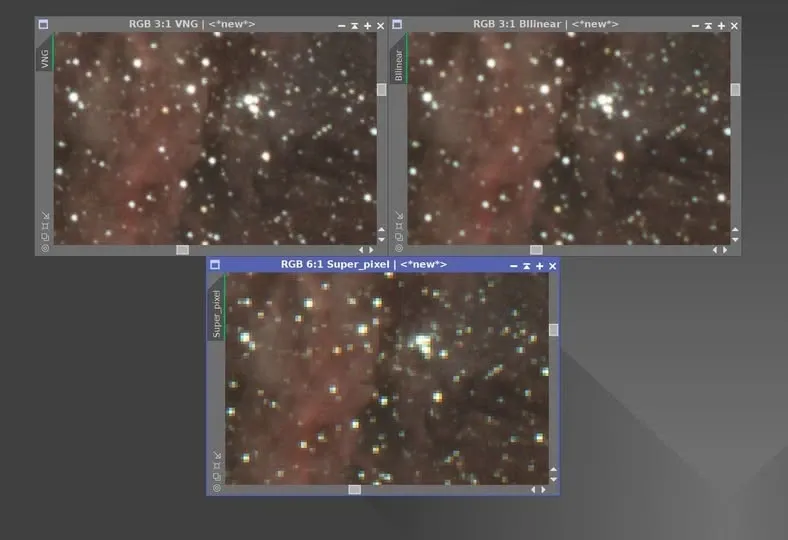
- VNG (default): the best results, but artifacts appear at some edges.
- Bilinear: fewer artifacts than VNG, but the image seems to become somewhat blurry.
- SuperPixel: the image dimensions shrink to half the original width and height, with almost no artifacts, but unless you are oversampled, the star edges turn into a blocky, grid-like pattern.
Conclusion: with no special need, just use the default VNG; if you are after the best quality, I recommend doing CFA Drizzle instead.
A Special Architecture: The BIN1 Mode of the IMX294
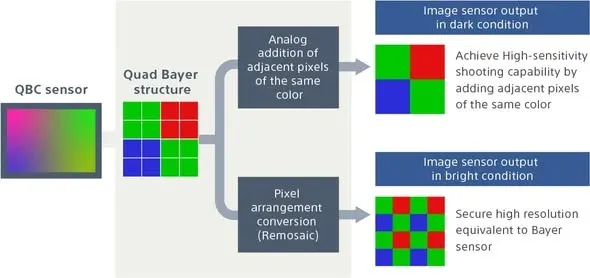
Some sensors are not so simple to Debayer. Take the QHY 294C-P Pro and the ZWO 294MC Pro as examples: both use the Sony IMX294 chip, which belongs to the QBC architecture and normally uses BIN2 mode automatically, in which case Debayering is no different from an ordinary CFA camera.
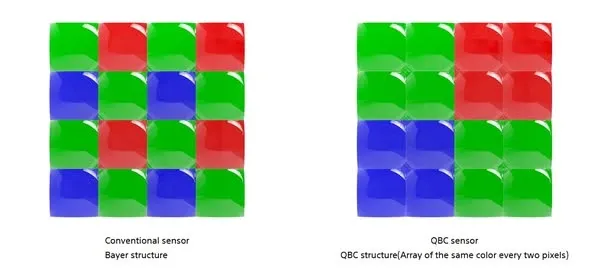
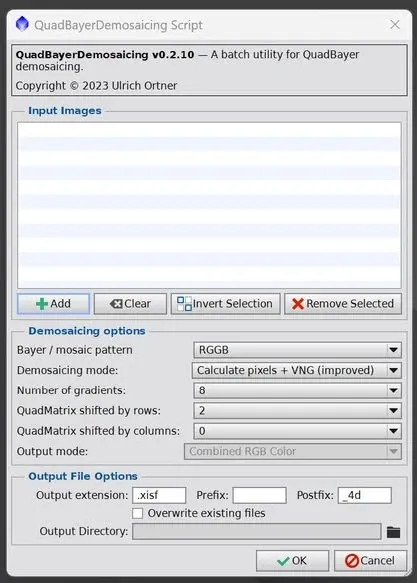
The trouble arose after the manufacturer later opened up firmware and driver updates that let users choose to shoot in BIN1 mode. The RRGG-RRGG-GGBB-GGBB matrix of BIN1 mode causes problems when Debayering in PixInsight—it cannot be correctly Debayered the usual way.
The solution: someone on the PixInsight forum wrote a script that can correctly Debayer files shot in BIN1 mode. Anyone using these two color cameras can go grab it from the forum themselves.