Color-Camera Images: Comparing CFA Split and Debayering
The raw images captured by a color camera (OSC) carry a CFA (color filter array), and to turn them into usable color data there are two main roads: one is “CFA split,” the other is “debayering.” What effect do these two approaches have on subsequent detail and noise? I’d wanted to run this experiment for a long time, and this time I finally got to it.
Four Processing Paths
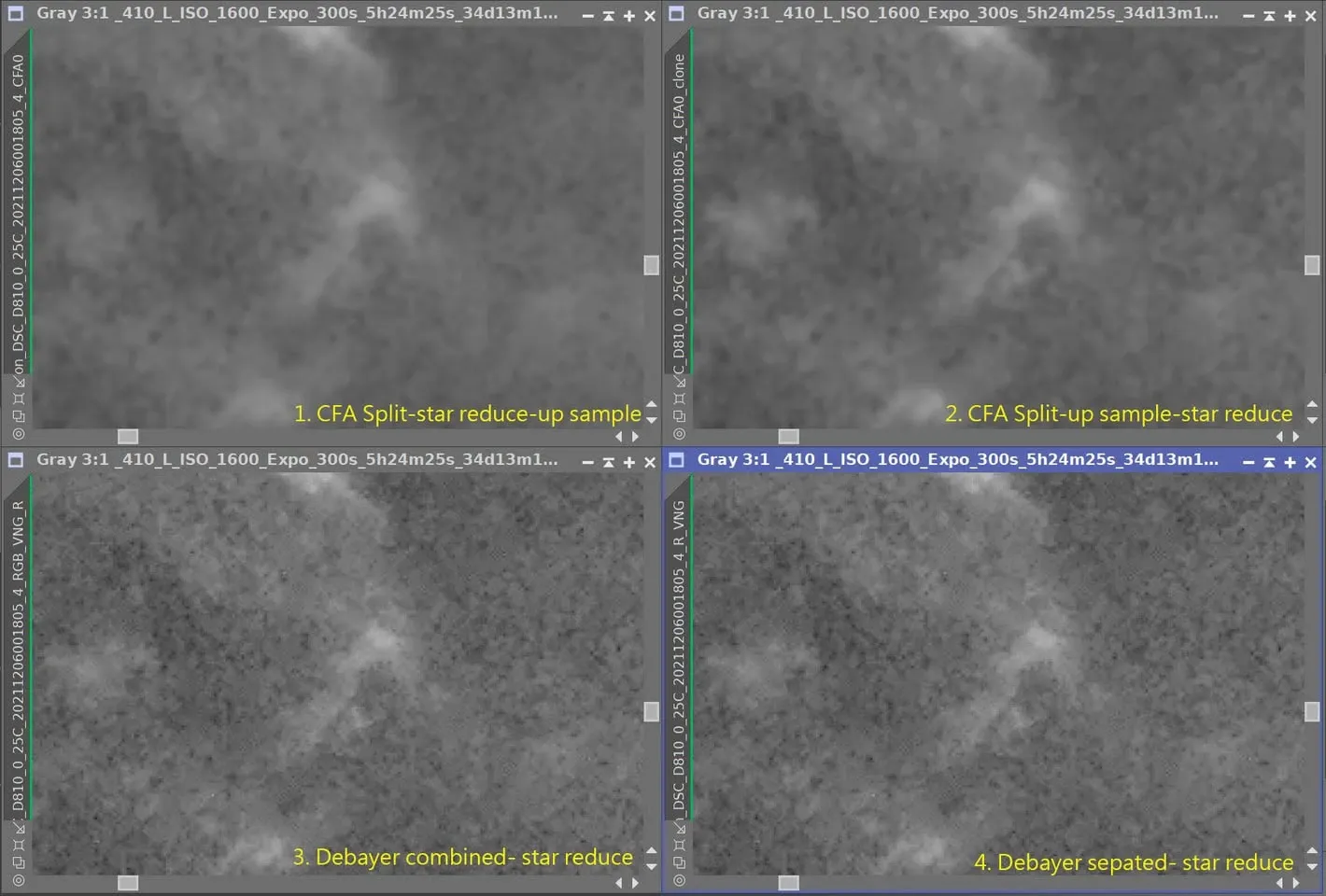
I set up four processing pipelines to compare:
- Do CFA split first, then star removal, then up sample (2x).
- Do CFA split first, then up sample (2x), then star removal.
- Do Debayer first (RGB combined), then extract R, then star removal.
- Do Debayer first (RGB separated), then remove stars from R.
Observed Results
- The images that did CFA split first are blurrier, but path 2 has more detail than path 1.
- The images that did Debayer first are sharper, but the areas where the background SNR is low show a lot of black spots.
- Path 3 and path 4 are exactly the same.
My Current Conclusions
- If you’re going to do CFA split first, then it’s best to do a 2x drizzle afterward.
- If you do Debayer first, then you have to deal with the background noise problem.
- One more conclusion: if you do CFA split first and use this image only for the RGB color, with the luminance channel shot separately, that result should be better.
But I should add one caveat: the image used in this test wasn’t calibrated (I just grabbed a photo on the spur of the moment), so the results may have been affected by that; a more rigorous approach would be to calibrate first and then test.