HDR Dynamic Range Compression: HDRMT and iHDR
Galaxy cores, the cores of bright nebulae, the cores of planetary nebulae: these targets often have an extremely bright center and a very dim surrounding, a big difference in dynamic range. When stretching, you often preserve the core at the expense of the surroundings, or you tend to the surroundings and blow out the core. This article organizes several approaches to handling high-dynamic-range targets, along with two tools in PixInsight: HDRMT and iHDR.
Do Modern Cameras Still Need Traditional HDR Compositing?
The dynamic range of modern CMOS (and CCD) keeps getting better. As long as the overexposure isn’t very severe (roughly using 0.92 after normalization, where 0 is black and 1 is white, as the dividing line), almost any region below that threshold can be made to look normal through “dynamic range compression” processing. Because of this, the occasions that truly require traditional HDR techniques (such as shooting an extra set of short-exposure images to composite) really are getting rarer.
Besides compressing the dynamic range, you can also use masks to stretch the image in stages, for example by manually building a mask, or using PI’s Masked Stretch, which can likewise bring an originally overexposed area back to normal.
These methods are especially suited to targets with clear bright-dark differences, such as the surroundings versus the core of a galaxy, a bright nebula, or a planetary nebula. As long as the “not-severely-overexposed” condition above is met, you can use these techniques instead of going back to traditional HDR compositing.
HDRMT: Dynamic Range Compression on the Nonlinear Luminance Channel
HDRMT (HDRMultiscaleTransform) is the process in PI dedicated to compressing dynamic range. The time to use it is on the nonlinear-state luminance channel, commonly on images with a high-dynamic-range distribution, such as galaxies and globular clusters. Once you’ve used it, you usually don’t need to do a separate HDRComposition.
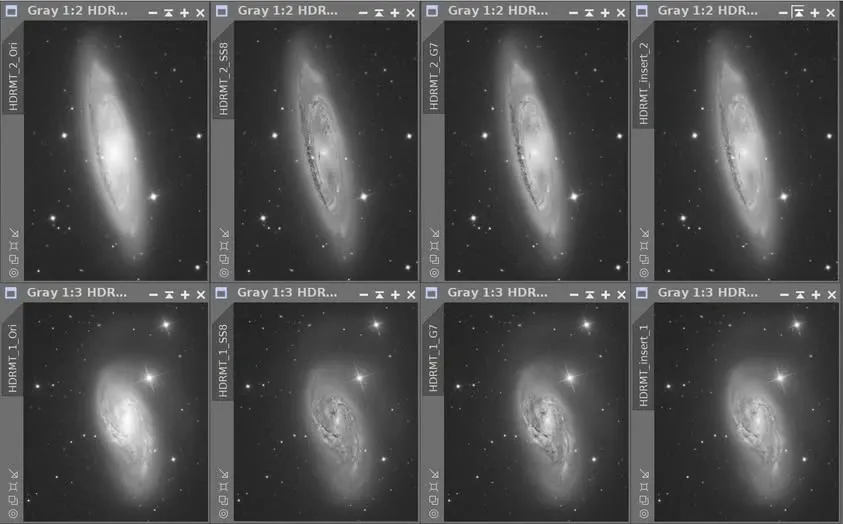
For example, on a galaxy image that has just finished a permanent nonlinear stretch, you can compare several processing routes: use Photoshop’s HDR Toning feature plus a contrast adjustment, or use HDRMT directly in PI to compress the core. Both can bring back the detail in an overly bright core.
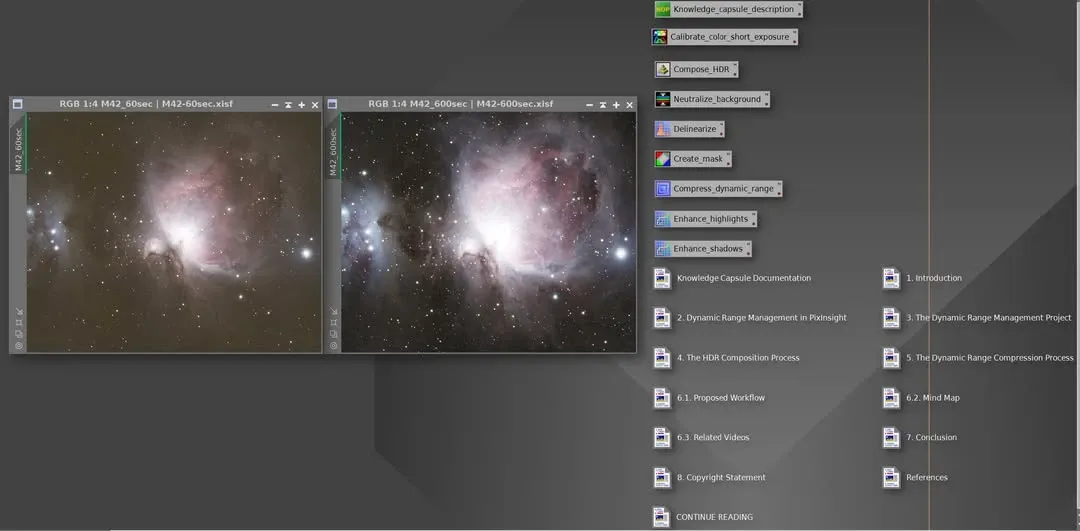
If you want to understand the principles and operation of high-dynamic-range composition more thoroughly, PI officially provides a teaching template, WeDoArt-KC-dynamic-range-management.pxiproject, which covers the principles as well as how to use HDRComposition and HDRMT to accomplish this. Please download this template from the PixInsight Distribution System, and remember to update PI to the corresponding latest version.
iHDR: Done in One Click
The newer iHDR takes a different route. Although in terms of final result HDRMT is usually still better, iHDR’s advantage is that it can be done with a single click.
Using iHDR is simple: first permanently stretch the brightest part of the image (for example, a galaxy’s core) to the position you want, then apply iHDR, and it will automatically complete the stretch for the rest.
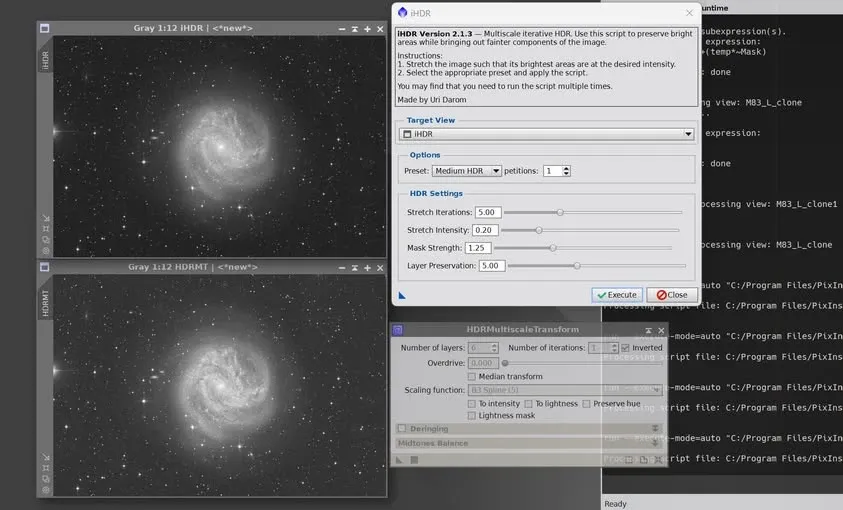
To sum up simply: use HDRMT when you’re after the best quality, and use iHDR when you’re after speed and convenience; pick between them as the situation calls for.