Star Artifacts: Hard Edges and Star Damage
Zoom into a finished image and the state of the stars is often what reveals your post-processing skill most clearly. If stars are damaged or artifacts are created during processing, you can’t see it in a thumbnail, but zoom in and it’s exposed for what it is. This article sorts out two common types of star artifact — star damage and hard edges — and their causes.
Star Damage: Usually a Poorly Made Mask
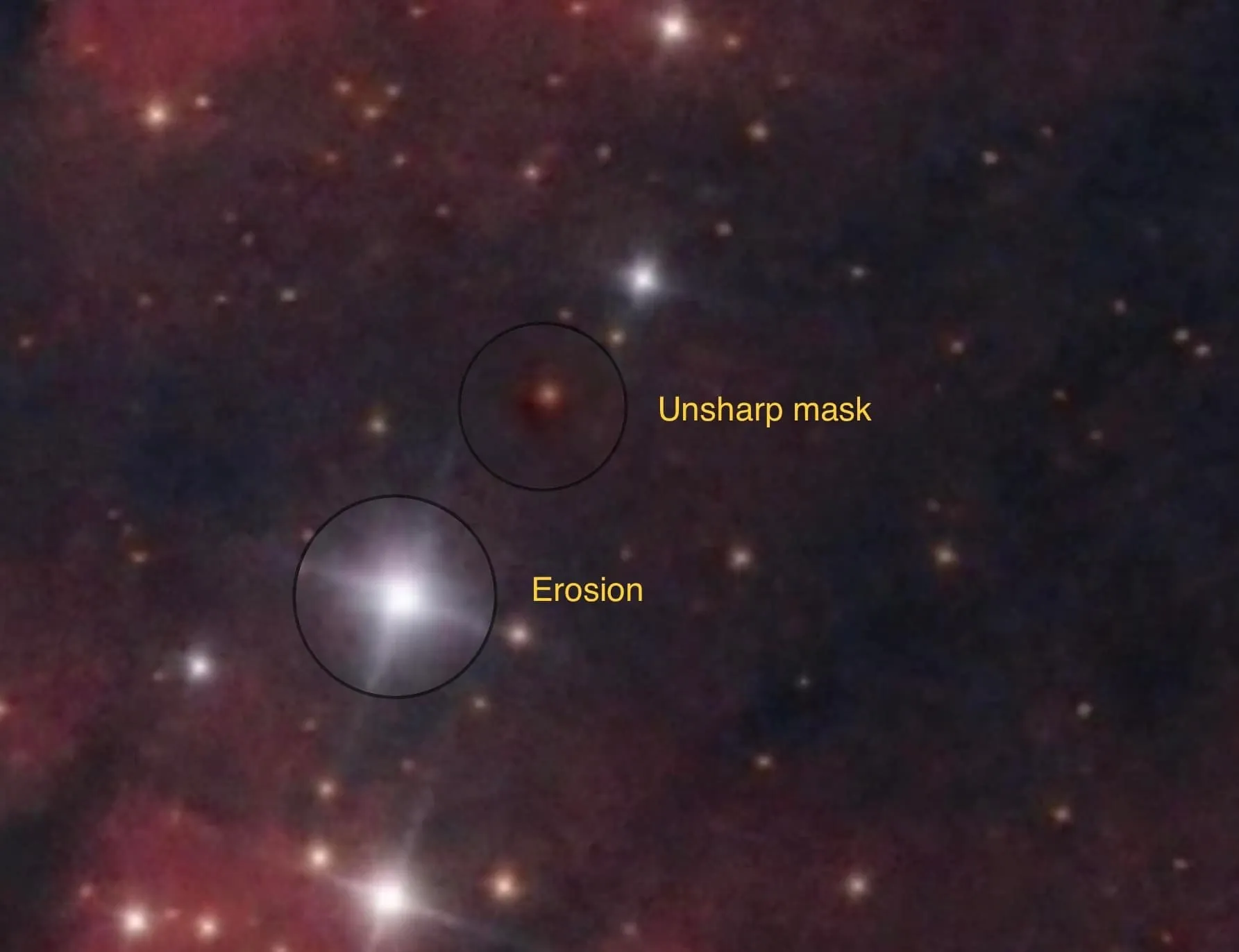
The culprit behind star damage is usually a poorly made mask. Zoom in and you’ll see it: a small image or thumbnail on Facebook might not show it, but zoom in after certain processing steps and you’ll often find the stars have been affected. Take one set of examples:
- A medium-brightness star, because of an incorrect mask, has its center deformed and asymmetric after star reduction via Erosion (the Minimum filter in PS) — exactly the common side effect of an erosion filter.
- Small stars, for the same reason, develop partial dark rings around their edges.
After retuning the mask and reducing the stars again, the star edges largely stay normal, with no more deformation.
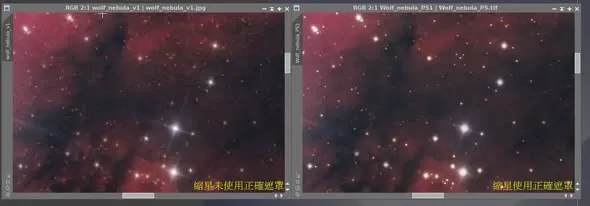
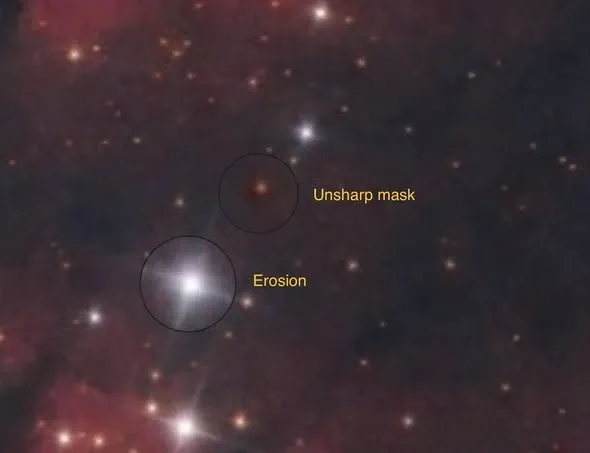
At the end of the day, getting the star detail right is for yourself, not for others. These flaws only show at very high magnification; you may fool others, but you’d only be letting yourself down — which is also why image processing takes so much time.
Hard Edges: Artifacts Strengthened During Processing
Another common situation is a hard edge inside or around a star. It’s actually an artifact that’s been “created” or “strengthened” during processing — the evidence being that in the freshly integrated raw file, this kind of hard edge doesn’t exist; it only crops up in later processing.
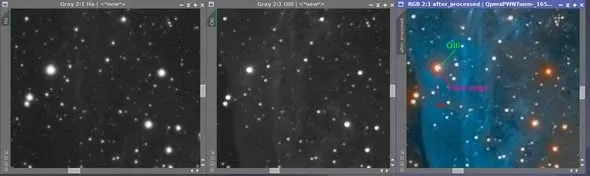
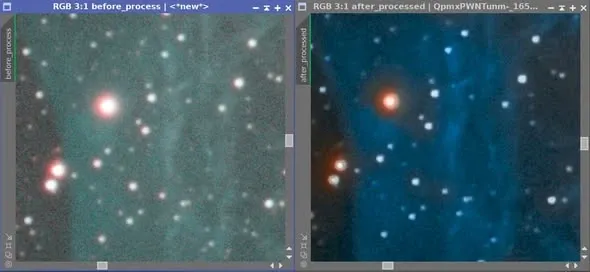
Hard edges don’t appear only in narrowband images — LRGB has them too. From past experience, the main cause is still the star mask: making a correct star mask solves the problem almost entirely.
There’s also an easily overlooked cause: that ring around a star’s edge is easily strengthened during processing. If you shoot with multiple filters and the star sizes differ from filter to filter, and you haven’t adjusted them to match beforehand, then after combining the channels, the edges of the different-sized stars will develop ring after ring of black (or white) during processing.
So producing good-looking stars is actually quite an exacting business. Conversely, in theory, if the stars are handled well, the main subject of the same image usually isn’t bad either — how good the stars look is, to some degree, a microcosm of the finesse of your post-processing. No wonder narrowband has so many star problems; when you can do without the stars, you might as well leave them out.